Shopping Guides for Smart Shopping

Read practical shopping tips, store updates and deal advice for smarter everyday buying.

Everlane 美国官网最新海淘下单教程

Everlane US Official Website Latest Overseas Ordering Guide

As an online retailer, the Everlane brand goes all out to eliminate middlemen, offering low-cost, high-quality clothing and accessories that aren't name brands. This willful brand is naturally very popular, and it has many die-hard fans in China as well. This article introduces a guide on how to shop on the Everlane US official website, telling you how to place orders and shop on the Everlane US official website. If you also want to place an order on the Everlane US official website but don't know how, feel free to click and view this Everlane US official website shopping guide. 1. Open the website; Everlane US official website shopping URL: https://www.everlane.com/ , click the link to visit directly; 2. Register an account; Friends who have already registered can choose Log In to sign in. Unregistered users should select Sign Up to click and register an account; ① Registered users enter the login page; ② Unregistered users enter the registration page; 3. Select products; Add the products you want to purchase to the shopping cart, then click item in the upper right corner to view the cart and go to the shopping cart page; 4. Click item in the upper right corner to view the shopping cart and enter the shopping cart page; 5. Click CONTINUE TO CHECKOUT to enter the shipping address page; 6. Continue to enter the payment information page; 7. Continue to enter the shipping method selection and information review page. Confirm everything is correct and click PLACE ORDER to submit and complete the order. 8. All that's left is to wait for the forwarding company to receive the goods, prepare the forwarding details, and sit tight waiting to receive your package!

Bumble and Bumble 官网2021最新海淘攻略

Bumble and Bumble Official Site 2021 Overseas Shopping Guide

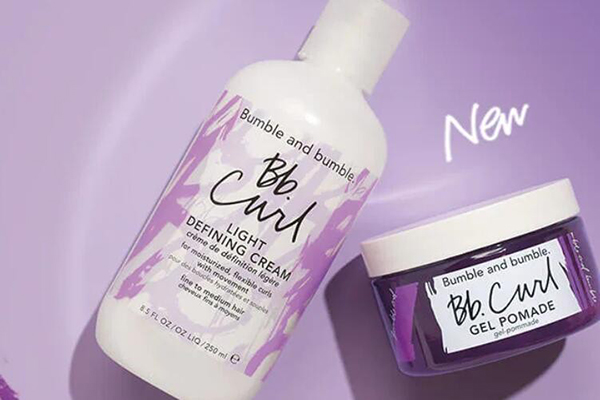
Bumble and bumble is an American hair care brand dedicated to the research, development, and sale of high-end hair care products. It became a subsidiary of The Estée Lauder Companies in 2000. Its products have received awards from Allure, InStyle, Elle, Marie Claire, Nylon, Cosmopolitan, Details, and Men’s Health. Its most popular products include The Hairdresser’s Invisible Oil collection, Thickening Hairspray, Surf Spray, and Prêt-à-powder. If you need any, go for it~ Bumble and bumble Official Website: https://www.bumbleandbumble.com 1. First, you need to register an account. Open the homepage and click to expand the menu in the top left corner: In the expanded menu below, click Sign In / My Account to log in: Existing users can directly enter their email and password to log in. New users, click I Don't Have An Account to register: On the new page, you can see the registration information for new users. Enter your email and password, then click Register below to complete the registration. 2. Once registered, you can start shopping! Browse products by menu categories, homepage promotions, or search directly. Then go to the product detail page, select the specifications and quantity, and add to cart: 3. Go to the shopping cart, check if the product information is correct, and make edits if needed. There is a donation option below; choose based on your preference. If you have a discount code, don't forget to enter it in the dialog box below to get the discount. Then click Proceed to Checkout: 4. Step one of checkout: enter the shipping address. Currently, the official website does not support direct shipping to China and only accepts addresses within the United States, so you will need to use a forwarding address. The site offers free gift cards, so you can choose that option if needed. Then click Continue to proceed: 5. Payment method. Enter your credit card number, expiration date, security code, and other information. If you have a Gift Card, check the box for I Have A Bb.egift Card, enter the card number in the expanded dialog, and click Apply. For the billing address, you can use the forwarding address or your actual domestic billing address, depending on your preference. Then click Continue: 6. Final step: review the order. Carefully check the shipping address, billing address, payment information, and product details for accuracy. Once everything is confirmed correct, click Place Order to submit the order and complete the purchase.

Penhaligon's 潘海利根英国官网海淘攻略

Penhaligon's UK Official Website Overseas Shopping Guide

Penhaligon's is a globally renowned perfume brand, established in 1872 by barber William Penhaligon, and is positioned in the high-end segment. Currently, Penhaligon's has counters in select cities in China and an official Tmall flagship store online, but prices are relatively high. Purchasing Penhaligon's perfumes through overseas shopping offers significant price advantages. Below is a guide to overseas shopping on the Penhaligon's UK official website. Penhaligon's UK Official Website Entry: https://www.penhaligons.com/uk/en 1. Since the Penhaligon's UK official website does not support direct shipping to China, you need to use a forwarding service. Choose a reliable UK forwarding company in advance, register an account, and obtain the forwarding company's receiving information. 2. Register an account on the Penhaligon's UK official website. Click on the personal center icon in the top left corner of the page. Then fill in your registration email. Fill in your password. The password must contain numbers, letters, uppercase and lowercase letters, and special characters. Click "Next" to complete the registration. 2. Shopping: Select your desired perfumes on the Penhaligon's UK official website and add them to your shopping cart. 3. Proceed to checkout in your shopping cart. Click "Checkout" to go to the checkout page. If you have a discount code, enter it and click "Apply" as shown below. 4. Add a shipping address. Select the delivery method as "Deliver to my address". Then copy the receiving information from your forwarding company and fill in the recipient's name, phone number, postal code, address, city, etc., accordingly. Check the box indicating the billing address is the same as the shipping address, then click "Continue" to proceed to the next step. Select the package delivery method. Generally, choose UK Standard Delivery. Orders over £50 qualify for free shipping, with delivery in 2-5 working days. Then select "Continue to Payment" to proceed with payment. 5. Choose a payment method. You can pay by gift card, credit card, or PayPal. If you choose credit card payment, fill in your credit card information one by one: card number, expiration date, and security code. Finally, click "Review My Order" to confirm the order details. 6. Submit the order and confirm payment. 7. Wait for the order confirmation email and shipping notification from the Penhaligon's UK official website. 8. After obtaining the tracking number, pre-register the package with your chosen forwarding company and wait for it to arrive at their warehouse. 9. Once the package arrives at the forwarding company's warehouse, it will be weighed, and shipping costs will be calculated. Choose an appropriate shipping route, pay the shipping fee, and request the package to be shipped out. 10. Wait for your Penhaligon's UK official website package to arrive. Notes: 1. If you encounter issues adding products to the cart, try switching browsers. 2. Perfumes contain alcohol and are classified as flammable items. Check with your forwarding company beforehand to confirm they accept perfume shipments. 3. Overseas shopping on the Penhaligon's UK official website can be challenging, with a possibility of order cancellations. 4. Orders over £50 qualify for free shipping within the UK. Orders under £50 incur a £5.50 shipping fee. 5. The Penhaligon's UK official website supports shipping to most EU countries. Orders over €150 qualify for free shipping. Orders under €150 incur an €18 shipping fee.

YCMC 官网最新海淘下单攻略

YCMC Official Website Latest Overseas Shopping Guide

YCMC is a well-known US store specializing in trendy sneakers and apparel, focusing on streetwear, athleisure, sneakers, boots, and fashion accessories for men and women. With over six decades of history, it has built a solid reputation in the industry and gained popularity among countless customers. This article provides a guide on how to shop on the YCMC US official website, walking you through the process of placing an order. If you want to shop on YCMC but don't know how, feel free to check out this YCMC shopping guide. 1. YCMC US Official Website Ordering Tutorial: 1. Open the website YCMC US official website entrance: https://www.ycmc.com/ 2. Register an account Click the top right corner of the page Existing customers can log in using their email and password New users who haven't registered should enter their information and click confirm 3. Select products Browse by category or search for your favorite products, choose color, size, and other details, then add to cart Click the shopping cart icon in the top right corner to proceed to checkout 4. Enter shipping address 5. Choose shipping method 6. Review order Enter a promo code if available to get a discount 7. Select payment method Using a credit card as an example, fill in the card number, name, expiration date, and other relevant details accurately, then click to review the order 8. All that's left is to wait for the forwarding company to receive the package, prepare the shipping details, and sit tight for delivery! 2. YCMC US Official Website Ordering Notes 1. Registered users get a 10% discount on their first order 2. The official website does not support direct shipping; use a forwarding service. Free US shipping on orders over $75 3. The website accepts Visa, Mastercard, Discover, American Express, and PayPal payments

Timbuk2 官网最新海淘攻略教程

Timbuk2 Official Website Latest Overseas Shopping Guide

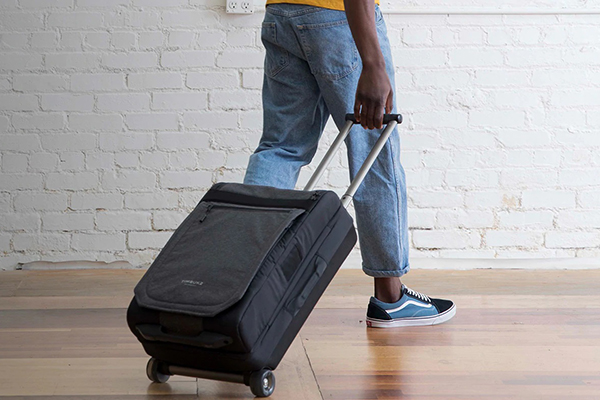
Timbuk2 is the world's largest messenger bag brand. Its bags are stylish, sturdy, and durable, making them very popular among young people. In 2011, Timbuk2 entered the Chinese market and has physical stores in cities like Beijing, Shanghai, Guangzhou, and Wuhan. However, domestic prices are relatively high, so many people choose to buy from the Timbuk2 US official website. This article introduces a guide on how to buy from the Timbuk2 US official website, telling you how to place an order and shop on the Timbuk2 official website. If you also want to order on the Timbuk2 website but don't know how, feel free to click and check out this Timbuk2 overseas shopping guide. 1. Timbuk2 Official Website Ordering Tutorial 1. Open the website Timbuk2 US official website entrance: https://www.timbuk2.com 2. Register an account Click Login in the upper right corner of the page Customers with an existing account can log in using their email and password. New users who haven't registered should choose to register an account. Enter the information and click Register 3. Select products Choose the product you like, select color, size, and other information, and add it to the shopping cart View the shopping cart and click Checkout 4. Fill in the shipping address 5. Choose shipping method 6. Review order If you have a promo code, enter it and click Apply to get the discount 8. Choose payment method You can pay using credit card, PayPal, etc. Taking credit card as an example, fill in the credit card number, expiration date, security code, and other relevant information shown in the image, then verify the billing address. After confirming everything is correct, click Pay. 7. Then just wait at home to receive your package! 2. Notes for Ordering on Timbuk2 US Official Website 1. New registered users get 15% off their first order 2. Free shipping within the US for orders over $50. Also supports direct shipping to China, standard shipping fee is $55 3. Supports payment via Visa, MasterCard, and PayPal

建议收藏!2022可直邮中国的海淘网站大全

2022 Must-Save Guide: Overseas Shopping Sites That Ship to China

Direct shipping to China, as the name suggests, refers to overseas shopping websites that can ship directly to China. This means shipping costs are already included in the total price. Once the order is paid, you just wait for delivery. Nowadays, more and more overseas e-commerce sites offer direct shipping to China. Looking just at the US, many major retailers in categories like department stores, fashion apparel, maternal and baby products, health supplements, and luxury goods have successively entered the Chinese market, sparking a trend of direct shipping to China. This allows consumers to bypass the forwarding process, making shopping more convenient. Below is a comprehensive summary of websites offering direct shipping to China from countries including the United States, Germany, the United Kingdom, France, South Korea, and Japan: [Overview of US Websites Offering Direct Shipping] [Overview of UK Websites Offering Direct Shipping] [Overview of German Websites Offering Direct Shipping]

Grow Gorgeous 英国官网最新海淘下单教程

Grow Gorgeous UK Official Website Latest Overseas Ordering Guide

Grow Gorgeous is a brand under DECIEM, a Canadian company, specializing in hair and scalp care, dedicated to nurturing healthy hair and pursuing thicker, smoother locks. Their hair growth serum is said to awaken scalp follicles, not only preventing hair loss but also promoting regrowth and saving the hairline, earning it the title of a "revolutionary hair growth miracle"! This article introduces a guide on how to shop overseas on the Grow Gorgeous UK official website, showing you how to place orders and make purchases. If you want to order from the Grow Gorgeous UK site but don't know how, feel free to check out this Grow Gorgeous UK official website overseas shopping guide. 1. Grow Gorgeous UK Official Website Ordering Tutorial: 1. Open the website Grow Gorgeous UK official website entrance: https://www.growgorgeous.co.uk/, click the link to access directly 2. Register an account Click the top right corner of the page Customers with an account choose to log in Unregistered users click to register and enter information 3. Select products Choose the product you want to purchase and add it to the cart Then click the shopping cart icon in the top right corner to enter the cart page If you have a promo code, enter it to get the corresponding discount 4. Fill in shipping information 5. Choose delivery method 6. Select payment method and submit order 7. Review order and wait for delivery! 2. Notes for Ordering on the Grow Gorgeous UK Official Website 1. Supports Alipay, WeChat Pay, UnionPay, and PayPal payments 2. Free global shipping on orders over £40 or ¥350; otherwise, a shipping fee of £5.49 applies

天猫也开始自营了?天猫应用APP全新上线“猫享自营”板块!

Tmall launches self-operated service? New "Cat Enjoy Self-Operation" section goes live on Tmall app!

Alibaba has finally made a move on self-operated business! JD.com has established a strong foothold in e-commerce through self-operated operations, while Alibaba had been quiet on this front except for Tmall Supermarket. Now, it has finally launched its own self-operated section! Recently, the Tmall App underwent a version 12.0.0 upgrade, and a key term emerged in this update: Cat Enjoy Self-Operated. After the upgrade, the Tmall App splash screen also features an ad for the launch of Cat Enjoy Self-Operated. Is Tmall going to change its name? On February 18, a relevant person in charge of Alibaba's China Digital Commerce division responded: Tmall will not change its name, and Cat Enjoy is just an exploratory project within the Tmall app. "Thank you for your attention to Tmall. Tmall will continue to grow with merchants using its existing business model and provide quality services to consumers." In the update feature description, Cat Enjoy Self-Operated is defined as follows: An official self-operated business launched by the mobile Tmall app. Look for products marked with Cat Enjoy Self-Operated to quickly filter self-operated genuine items, connect with official self-operated customer service, and enjoy worry-free after-sales service. According to currently leaked information, Alibaba's B2C Retail Business Group will initially promote the 3C category in the early stages of Cat Enjoy Self-Operated. A key reason for choosing the 3C category is that these products are standardized, have high average transaction values, and are concentrated among leading brands. This allows the platform to deeply engage with brands and take responsibility for product sourcing. There are even reports that Cat Enjoy Self-Operated flagship stores are negotiating cooperation with some mobile phone brands, encouraging them to join the Cat Enjoy Self-Operated flagship store. However, if comparing with JD.com, logistics is a key point. The reason JD.com's self-operated business is successful is entirely due to its own JD Logistics, which reliably guarantees same-day and next-day delivery, making it a top choice for many consumers. When JD.com started its self-operated business, it took the risk of long-term losses to build its own logistics, completing its proud "distributed warehousing" layout, and it still adheres to an asset-heavy model. So, will Cat Enjoy Self-Operated also have its own logistics system? Moreover, the e-commerce landscape in recent years can be described as volatile. Not only has Pinduoduo broken through into the lower-tier market, but short-video platforms like Douyin and Kuaishou have also entered the scene, diverting a significant share of traffic. Therefore, even the former dominant player needs to maintain its competitiveness through continuous reform and upgrades. There is also the previously awkward position of the Tmall App. Most people usually use the Taobao App for shopping on Tmall. Although it is still unclear whether Cat Enjoy Self-Operated products can only be purchased through the Tmall App, at least with the current update, it has indeed captured the attention of netizens. Continued monitoring of the latest developments is needed.

Sisley 希思黎美国官网最新海淘攻略

Sisley US Official Website Latest Overseas Shopping Guide

Sisley was founded in 1976 by Count and Countess Hubert d'Ornano of France. It has since developed into a classic luxury brand in the high-end skincare field, a globally renowned luxury botanical beauty brand, and belongs to the international first tier. Sisley has always adhered to the concept of "pursuing ultimate quality." All products are made with plant extracts and essential oils as the main ingredients, combined with unique formulas. The brand insists that every product must be tested by 300 dermatologists before launch, and the packaging must be truthfully labeled as "tested for allergies and sensitivity" and manufactured in France. This article introduces a guide on how to shop on the Sisley US official website. It tells you how to place an order and shop on the Sisley US official website. If you also want to place an order on the Sisley US official website but don't know how, feel free to click and view this Sisley US official website shopping guide. 1. Sisley US Official Website Ordering Tutorial: 1. Open the website; Sisley US official website link: https://www.sisley-paris.com/en-US/, click the link to visit directly 2. Register an account Select login in the upper left corner of the page. If you already have an account, log in with your account and password; Unregistered users enter their email and click Join; Enter personal information and click Create; 3. Select products Browse by category or search to select your preferred products and add them to the cart; Click the shopping cart icon in the upper right corner of the page, then click View Review the order and click Next Select samples. If you have a promo code, enter it and click Apply to get the discount 4. Enter shipping address 5. Select shipping method 6. Select payment method Using a bank card as an example, fill in the card number, expiration date, security code, and other relevant information completely. After confirming it is correct, click Pay to submit the order; 7. The rest is waiting for the forwarding company to receive the goods, prepare the forwarding details, and sit back and wait for delivery! 2. Notes for ordering on the Sisley US official website 1. Sisley US official website contact information: Phone: 0 800 74 28 28. Customer service email: This email address is being protected from spambots. You need JavaScript enabled to view it.. Online hours: Monday to Thursday: 9:00 AM to 6:00 PM Friday: 9:00 AM to 1:00 PM. 2. The official website supports PayPal and domestic credit card payments;

Estee Lauder 雅诗兰黛美国宣布:不再负责转运售后

Estee Lauder Announces It Will No Longer Handle Forwarding and After-Sales Service

Recently, the Estee Lauder US official website issued the following announcement: The Estee Lauder US official website will not provide exchanges or refunds for any goods delivered to freight forwarders. The Estee Lauder official website is not responsible for damage, defects, material discrepancies, or loss of goods delivered to freight forwarders. If you choose to use a freight forwarder, we recommend that the forwarder immediately refuse any damaged packages. If a package is found to be lost or damaged after being signed for by the freight agent, the receiving party (the freight forwarder) shall be responsible. Upon seeing this news, some netizens were quite angry, saying it's because more and more people are freeloading and exploiting loopholes, being insatiably greedy. Some even proudly show off their exploits, making it really unsightly. Regardless, this serves as a reminder for netizens who frequently shop on the Estee Lauder US official website: double-check your items before placing an order. Overseas shopping is becoming increasingly difficult.

Ann Taylor 安·泰勒美国官网最新海淘下单攻略

Ann Taylor US Official Site Latest Overseas Shopping Guide

Ann Taylor is a well-known women's clothing brand from the United States, established in 1954. It is one of the largest women's product manufacturers in the U.S., including clothing, dresses, women's shoes, and accessories, setting trends. With over 800专卖店 across the country, it operates under three brands: Ann Taylor, Ann Taylor LOFT, Ann Taylor Studio, Ann Taylor Petites, and Ann Taylor Factory. Among them, Ann Taylor LOFT is popular for its classic yet relaxed style, with elegance as its winning formula. Alongside Polo Ralph Lauren and Calvin Klein, it ranks among the top five best-selling high-end brands in the U.S., earning the title "America's First Executive Brand." It specifically targets well-educated professional women aged 25 to 55. Currently, the Ann Taylor US official website has opened direct shipping to China. However, shipping via a forwarding service is generally much cheaper than direct shipping, and it also allows you to take advantage of many promotions that direct shipping does not offer. So today, we're here to introduce a guide for shopping on the Ann Taylor US official website via mobile using a forwarding service: Ann Taylor Official Website: https://www.anntaylor.com 1. First, click to expand the menu in the top left corner of the homepage, and select Login/Register on the left side! Existing account holders can log in directly using their email and password. New customers can click "Create Account" to set up an account. Simply fill in your name, email, and password as required on the official website to register easily! 2. Once registered, you can start shopping! Click the menu on the top left of the page to browse by category or use the search bar to find products by keyword. Click to enter the product detail page, select your desired color, size, and quantity, and add them to your cart: Please note that the Ann Taylor official website offers plus-size clothing, so women with a fuller figure don't need to worry. You can select the appropriate size type under "Size Type" below; if you're unsure about sizing, you can also refer to the size chart next to the sizes. After adding items to your cart, a prompt will appear asking whether to continue shopping or view your cart. Here, we choose to view the cart: 3. Enter the shopping cart and click "Checkout." Currently, the official website accepts payment methods including credit cards, PayPal, and Mastercard. If you have a discount code, you can enter it in the box below to receive the corresponding discount. At the bottom of the page, you can further edit the product information. Once everything is correct, click "Checkout": 4. The first step in checkout is entering your shipping address. Here, we enter the U.S. forwarding address: 5. After entering the address, select the shipping method. Free standard shipping within the U.S. is available for orders over $125, or a flat shipping fee of $8.95 applies: 6. After selecting the shipping method, enter your payment information. If you have a gift card, you can click to expand and enter the relevant card number and details to pay with the gift card. Here, we choose the more familiar credit card payment. Enter your credit card number, expiration date, and security code. For the billing address, you can choose to use the shipping address by simply checking the "Use shipping address" box. Alternatively, you can enter a different billing address directly below. 7. Once all information is entered, click "Next" to review the order. At this step, carefully double-check the address, payment information, product color, size, price, and other details you entered earlier. After confirming everything is correct, submit the order to complete the purchase. After successful payment, just wait for the shipping confirmation email from the website and contact the forwarding service to receive your package! Ordering Guide: 1. According to user reports, the Ann Taylor US official website supports international credit cards + forwarding services, as well as direct shipping; 2. Some promotional offers are only applicable to orders placed with a U.S. address; 3. Generally, free standard shipping within the U.S. is available for orders over $150.

BUYDIG 官网最新海淘下单购物攻略

BUYDIG Official Guide: Latest Overseas Shopping Tips

BuyDig is a globally recognized electronics retailer at the forefront of the digital imaging revolution. By offering low prices while working with a vast network of top-tier suppliers, they ensure both affordability and high quality. Always adhering to a "customer first" principle, they provide consumers with a worry-free shopping experience. Below is a guide to overseas shopping on the official website of the digital product giant BuyDig. BuyDig Official Website: https://www.buydig.com/ 1. First, register an account. Open the homepage and click the profile icon in the top right corner to log in or register. Existing users can log in with their email and password. New users should enter their name, email, and password under "Create Account" as required by the site, then click "Create Account" to register. 2. Now, start shopping. The website has many categories: cameras, TVs, computers, lenses, and more. You can browse products by category or search by brand or model. Using the lens below as an example, here is a detailed walkthrough of the shopping process. Select your product, go to the product page, and click "ADD TO CART": 3. Go to your cart, verify the product details are correct, and click "checkout" to proceed. The site also supports PayPal, Amazon Pay, VISA, and other payment methods. If you have a discount code, enter it below the product information to apply the savings: 4. Click to proceed to checkout and enter your shipping address. The official website currently does not support direct shipping, so enter your freight forwarding address. Follow your forwarding service's requirements, then click "Continue": 5. Payment section. Choose to pay by credit card, enter your card number, expiration date, and security code, then click "Continue": 6. Billing address. You can choose to have the billing address match the shipping address. If they match, click to go directly to the order review page. If not, click "enter a new billing address" below, enter the new address in the dialog box, and click "Continue": 7. Review and submit the order. Carefully check that the product, address, and payment information are all correct. Once everything is confirmed, click "Place Order" to complete your purchase.

时尚奢侈品二手交易/租赁平台需求高涨

High Demand for Second-Hand Luxury Trading/Rental Platforms

The day before yesterday, British luxury e-commerce giant Farfetch issued a statement announcing the acquisition of second-hand resale platform Luxclusif, without disclosing the specific transaction price. Industry insiders analyze that Farfetch's acquisition of Luxclusif is actually aimed at further enhancing its luxury resale capabilities to better advance the "Farfetch Second Life" initiative. It is understood that the "Farfetch Second Life" initiative has been launched in the United States, the United Kingdom, and some European markets, allowing consumers to earn shopping credits by selling second-hand luxury brand handbags on Farfetch. According to fashion business news reports, "Farfetch Second Life" will also launch in China to meet consumers' growing demand for second-hand luxury goods. Burberry also announced a partnership with rental company My Wardrobe HQ, which will feature a range of Burberry's key items on its platform. In addition to offering rental services ranging from a minimum of 4 days to a maximum of 14 days, it also provides direct purchase options.

Philosophy 自然哲理/肌肤哲理最新海淘攻略

Philosophy Skincare Latest Overseas Shopping Guide

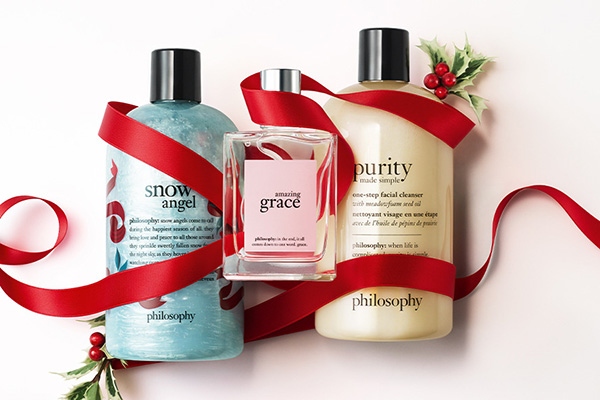
Philosophy is a beloved brand among beauty enthusiasts in its home country, the United States, including TV queen Oprah Winfrey as a supporter. Philosophy frequently occupies bestseller positions and has dedicated counters at established department stores like Macy's and Nordstrom. Philosophy products are reasonably priced, very approachable compared to many high-end brands, but their effectiveness never compromises. "Perfect skin is the best makeup" is the brand philosophy of Philosophy. Philosophy's product line includes body care, fragrances, makeup, and hair care products. Their skincare technology is based on biomedical foundations, with product formulas containing a variety of pure essential oils, plant extracts, rich vitamins, and polyphenol antioxidants. Philosophy firmly believes that skin doesn't need multi-step care, but rather diversified technology and comprehensive treatment. Many of their product formulas were originally used for medical purposes, so they are highly effective. Philosophy brand promise: visibly change your skin in 3 minutes; restore skin radiance in 3 days; significantly improve your skin in 3 weeks; give you the best skin you've ever had in 3 months! Today, I'm sharing a guide for mobile overseas shopping on the Philosophy US Official Website: Philosophy Official Website Entrance: https://www.philosophy.com 1. First, click the profile icon in the top right corner of the homepage, and choose to log in or register: Existing account holders select to log in using email and password. New customers choose to click Create Account below to create an account: 2. To create a new account, enter your name, email, password, zip code, and birthday (year is optional) to submit the registration. Note: There is an option at the bottom of the page to choose whether to join the membership for free. You can click Learn More at the top of the page for details on the specific membership system: After registration, you can see your points balance in the middle section of your personal account. Registering as a member gives you 100 points, and you need 4000 points to reach the next level. Click Go to my Philosophy Rewards for details. 3. Once registered, it's time to shop! Philosophy has many star products, such as: Purity made simple 4-in-1 Cleanser, Hope In A Jar Moisturizer, The microdelivery peel, When hope is not enough firming and lifting serum, and more. All bestsellers can be found under the best seller category on the official website. Let's use this cleanser as an example to share the shopping process. Click to enter the product detail page, select the product size, quantity, and purchase frequency, then add to cart. If it's temporarily out of stock, you can add it to your wishlist and purchase later when it's back in stock. Below the page, the points earned for purchasing different product sizes will be displayed for members. 4. Enter the shopping cart to modify or adjust product information. Regarding purchase frequency, this is a subscription system set up for consumable products. Choose a cycle, and the website will send you the ordered products at regular intervals after you submit the order, deducting the relevant fees from your payment account. For overseas shoppers like us, it's not recommended to choose this option; just select one-time purchase. The official website also periodically launches promotions. Reaching certain purchase thresholds will give you different discounts. If you have a promotional discount code, you can enter it below to get the corresponding offer: Additionally, each order comes with 3 free skincare samples. You can click to select them on the page below, then proceed to checkout. If you don't need them, you can choose to skip: 5. The first step of checkout is to enter the shipping address. You need to name the address, such as home address, work address, or any distinctive name you prefer. The official website currently does not support direct shipping, so the address should be a forwarding address. Fill it in as required. You can expand the order details at the bottom of the page: 6. After entering the address, select the shipping method. There is a gift option below. If you need gift wrapping, there is an additional fee of $4, but gift cards are free: 7. Next is the payment information. Enter your credit card number, expiration date, cardholder name, security code, and billing address. You can choose to use the shipping address as the billing address. 8. Then you reach the final step: order review. At this step, you need to carefully check the shipping address, payment information, shipping method, products, and other details. Once everything is confirmed correct, submit the order. All that's left is to wait for the website to process the order and arrange shipment. The US courier will deliver it to the overseas forwarding warehouse, and then you can submit it to be shipped back to you!


Peter Thomas Roth 彼得罗夫最新版海淘下单攻略

Peter Thomas Roth Latest Overseas Ordering Guide

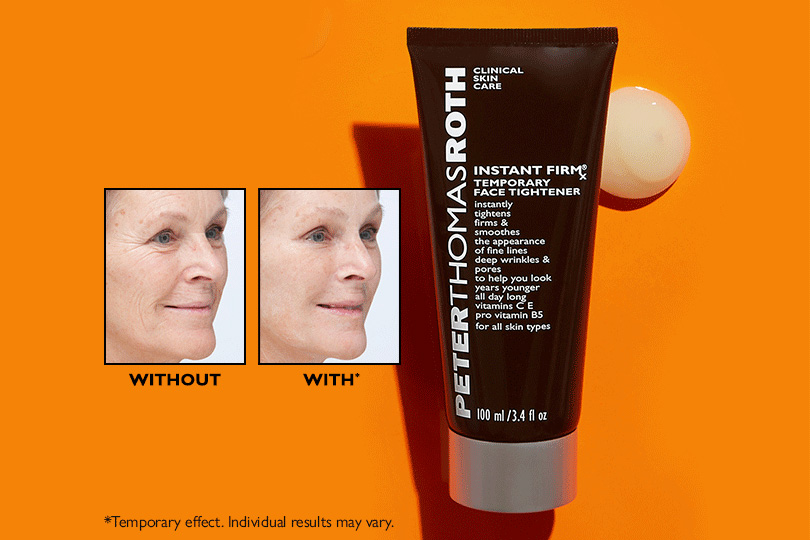
Peter Thomas Roth, a high-performance skincare brand from the United States, is beloved and sought after by numerous Hollywood stars and celebrities. Among its many loyal users are well-known names such as Sarah Jessica Parker, Blake Lively, Jennifer Lopez, Tiger Woods, and even former U.S. President Bill Clinton. Today, I'm sharing a guide on how to shop internationally on the Peter Thomas Roth US Official Site. Peter Thomas Roth Official Site Entrance: https://www.peterthomasroth.com/ 1. Register an account. Click the profile icon in the top right corner of the homepage. Returning users click "Login" to sign in, while new users click "Register" to create a new account. Enter your name, email, password, and other information, then click "Apply" to submit. Note: The password must be at least 8 characters long and include 1 special character, 1 number, and 1 letter. 2. Start shopping after registration. Browse by category, homepage promotions, or use the search function to find your desired products. Go to the product page, select the specifications and quantity, then add them to your cart. 3. Go to your shopping cart. You can select three samples per order. Click "select 3 samples" to choose your samples, then click "checkout" to proceed. Don't forget to use any discount codes if you have them. On the sample selection page, click "Add" to add a sample. After selecting 3, click "Done" to finish. 4. Proceed to checkout. Enter your shipping address. The site does not support direct shipping, so you need to fill in a valid address provided by a freight forwarder. This includes name, phone number, detailed address, zip code, etc. Set the "Country" to United States. For the billing address below, you can check the box to make it the same as the shipping address, or enter your actual domestic billing address. Based on experience, it's recommended to enter your real billing address. Then select the shipping method and click "Continue" to proceed: 5. Enter your billing address. As mentioned, enter your actual domestic billing address. Make sure to select "China" for the country. Then, enter your credit card information at the bottom of the page. Click "Continue" to proceed: 6. The final step is to review and submit your order. Carefully check the product information, address, payment details, and ensure no discount codes are missing. Once everything is confirmed correct, click "Place Order" to submit. Tips: The Peter Thomas Roth US official site has poor support for international credit cards and freight forwarding addresses. The pre-authorization payment review period is also long. However, success is not impossible. Using a Bank of China multi-currency card with a new freight forwarder address might work. You could also ask someone to place the order for you. If you don't manage to buy anything, don't worry too much.

6PM怎么注册账户?6PM 海淘鞋子最新下单攻略

How to Register for a 6PM Account? Latest Guide to Ordering Shoes from 6PM

When buying shoes, bags, and luggage on foreign shopping websites, many people choose 6pm. 6pm.com is a US discount shoe shopping website and one of the American online retail stores. It can be said to be the most visited website besides Amazon. Its main products include shoes, bags, etc., and there are often discounted shoes, bags, and clothes. Frequently seen brands include Coach, Crocs, Nine West, Ecco, Hush Puppies, UGG, Levi's, The North Face, Fossil, Adidas, and Nike! Next, let's take a look at the ordering process on the 6pm official website mobile version, allowing us to easily shop overseas on our phones! 6pm official website entrance: https://www.6pm.com/ 1. Open the 6pm mobile site, click the profile icon in the top right corner, and you will see dropdown options: Log In or Register, and My Account. Click Log In or Register to enter the login page: 2. On the login/registration page, the top section is for login information. If you already have a 6pm account, you can directly enter your email and password to log in. Additionally, you can choose to log in using your Amazon account. As long as you have an Amazon account, you can log in to 6pm directly without registering! For those who don't have a 6pm account, you can choose to click the "Register for a 6pm account" option at the bottom of the page to sign up. Below, the editor will use a new user registration as an example to show you the detailed shopping process: 3. Click "Register for an account". Fill in the corresponding name, email, password, and other information in the page dialog box, then click "Register" below: 4. After registration, it's time to shop! Use the search bar or browse product categories to find the product you want to buy. Select the product, click to enter the product detail page, choose specifications like color and size below the image, and then click "Add to Cart": 6. After adding to the cart, you can make modifications and adjustments in the cart. If everything is correct, you can choose to proceed to checkout: 7. The first step of checkout is to add a shipping address. Please note that 6PM currently offers free standard shipping within the US for orders over $50, or when purchasing any two items. It does not support direct shipping to China. It is recommended to choose a forwarding company and fill in the corresponding forwarding company's shipping address according to the website requirements: 8. The second step of checkout is the payment method. Choose credit card payment. The website supports VISA, MASTERCARD, DISCOVER, American Express, PayPal, Bill Me Later, and other credit cards. Domestic users can currently only use dual-currency/multi-currency credit cards for placing orders. Additionally, if you have a discount code, you can enter it in the discount code field below: 9. The third step of checkout is to review the order: Here you can do a final check of the entire order, confirming the shipping address, payment method, product specifications, price, and other information. Once everything is correct, click "Place Order" to confirm the order. 10. At this point, the entire shopping process is complete. After successfully placing the order, you will receive an order confirmation email at your registered email address. You can check the order status anytime through the website's notification emails, or go to "My Account" and view all purchased orders from the order history. Just wait for the delivery!

Forzieri 福喜利海淘下单攻略最新版

Forzieri Fuxili Overseas Shopping Guide Latest Version

Forzieri, known in Chinese as Fuxili, is an Italian one-stop luxury accessories concept store that sells branded luxury goods. It has now grown into a well-known fashion luxury e-commerce website in Italy. Most of Forzieri's products come from Italian local brands, positioned in the mid-to-high-end market, including well-known big names and niche designer pieces. This article introduces the overseas shopping tutorial for the Forzieri US official website. If you want to place an order on the Forzieri US official website but don't know how, feel free to click and check out this Forzieri overseas shopping guide. Forzieri is overseas-shopping friendly, accepting credit cards like Visa, MasterCard, and AE, as well as PayPal, Alipay, and other payment methods. If you're interested, keep an eye on it. Forzieri US official website overseas shopping entrance: https://www.forzieri.com, click the link to visit directly. Forzieri Overseas Shopping Guide 1. Login and Registration 1) Click the link above to visit the official website homepage, then click My Account; 2) Log in if you have an account, or create a new account if you don't; 3) Fill in the registration information as required; 2. After Registering, Start Shopping 1) Select your favorite products and add them to the cart; 2) Adding to cart automatically takes you to the checkout page. Choose to continue shopping or proceed to checkout based on your situation; 3. Proceed to Checkout, Add Shipping Address; 4. Choose Payment Method; 5. Review Order, Submit Order; 6. Ship via Forwarder The official website will send the items to the forwarding company. After the forwarding company receives the goods, submit your domestic shipping address and pay the shipping fee. 7. Wait for Delivery The above is the tutorial guide for placing orders on the Forzieri US official website. For more Forzieri US official website overseas shopping discount information, stay tuned to Le Enjoy Good Things.

Tessabit 官网2021最新海淘下单攻略

Tessabit Official Website 2021 Latest Overseas Shopping Guide

Tessabit is an Italian boutique concept store that curates world luxury and designer brands. Its online shop, an extension of the physical store, offers high-quality clothing and accessories to consumers worldwide. Popular brands include Balenciaga, Dolce & Gabbana, Prada, Gucci, Givenchy, Fendi, and more. This article introduces the Tessabit overseas shopping tutorial, teaching you how to place an order on the Tessabit official website. If you want to shop for luxury goods from abroad but don't know how, feel free to click and check out this Tessabit overseas shopping guide. Tessabit official website overseas shopping portal: https://www.tessabit.com/, click the link to visit directly. 1. Tessabit Official Website Overseas Shopping Guide: 1. Login & Registration 1) Click "Login" on the homepage; 2) Log in if you have an account, or create a new account if you don't; 3) Fill in the registration information as required; 2. Registration Complete, Start Shopping; 1) Select your favorite products and add them to the cart; 2) View cart and proceed to checkout; 3. Add Shipping Address; 4. Select Shipping Method; 5. Select Payment Method, Add Credit Card; Then review the order and submit it. Next, just wait to receive your package. 2. Tessabit Official Website Overseas Shopping Notes: 1. Payment Methods: PayPal, VISA, MasterCard, American Express, etc. 2. Shipping Methods: Supports direct mail and freight forwarding. It is recommended to use a freight forwarder with a tax-inclusive shipping line. 3. Discounts on the US, UK, Hong Kong, and Mainland China sites are generally synchronized. 4. Supports DDP (Delivered Duty Paid) direct mail with duties included. Shipping to China costs ¥275. Write the address in Pinyin. The shipment is trackable. 5. Supports freight forwarding. You can compare product prices across different sites for reverse overseas shopping and use a freight forwarder to ship back to China. 6. Supports free returns and exchanges. That's all I have to share about the Tessabit official website overseas shopping guide. For more discount and promotion information on Tessabit, stay tuned to LeEnjoy.

Godiva 歌帝梵2021最新海淘下单攻略

Godiva 2021 Latest Overseas Ordering Guide

Godiva is a Belgian chocolate brand with nearly a century of history, dating back to 1926. It uses premium cocoa ingredients sourced from South America, Africa, and other regions, offering distinct layers, a melt-in-your-mouth texture, and an excellent taste. Since 1968, Godiva has been the official chocolate supplier to the Belgian Royal Family, earning a reputation as the most luxurious chocolate—the Rolls-Royce of chocolates. Besides the Belgian royal family, many world-renowned figures, such as former U.S. President Bill Clinton and actress Elizabeth Taylor, are devoted Godiva fans. Godiva US Official Website: https://www.godiva.com/ Below is a guide to shopping on the Godiva US official website via international shipping: 1. Step one: Create an account. Open the homepage, click the profile icon in the top left corner, and proceed to log in or register: Existing users can directly enter their email and password and click "Sign in" to log in. New users should click "Register" below to sign up. The official website also accepts business account applications; click "Request Business Account" below to apply: Enter your name, email, password, address, and other information as shown below, then click "Submit" to complete registration. Since the official website currently does not support direct shipping, you can enter a US forwarding address in the address field. 2. Once the account is created, start shopping. You can search for your favorite products. Godiva launches holiday gift boxes, such as for Christmas, every year. If you are interested, consider them. After selecting a product, go to the product page, choose the quantity, and click "Add to Bag" to add it to your cart: 3. Go to your shopping cart, verify the product details are correct, and click "Checkout" to proceed. If you have a discount code, you can enter it at the bottom of the page to receive the corresponding discount. 4. The first step of checkout is to enter the address information. Since you already submitted the address during registration, you can directly click "Select from saved address" to choose a previously entered address. If shipping to a different address, you can enter it in the dialog box below. Please strictly follow the requirements of your forwarding company. Then, select the default shipping method. Below that, there is a "Gift option" you can choose based on your needs: 5. Next, proceed to the payment section. The website supports payment via Gift Card. If you have a gift card, click "I Have a Gift Card" to expand the field, enter the gift card number and PIN code, and click "Apply" to use it. Generally, we choose to pay by credit card. Enter your credit card number, cardholder name, expiration date, security code, and other details as shown below. Verify the billing address, ensure everything is correct, and click "Review my order" to check your order. Note that the billing address can be the forwarding address you entered earlier, or you can enter your actual domestic billing address. Typically, the forwarding address is used by default. Gift Card usage instructions: 6. The final step: review and submit the order. Carefully check the product, address, and payment information. Once everything is confirmed correct, click "Submit Order" below to place the order. This completes the entire shopping process. If you want to check your orders, go to "My Account" and click "Order History" to view order details and more.

Harrods 哈洛德百货联名PALACE带来服饰系列

Harrods x PALACE Collaboration Clothing Collection

The century-old British department store Harrods, with over 170 years of history, has recently launched a collaborative clothing line with PALACE, a streetwear brand also originating from the UK. This collection went live on December 10th at the Harrods store. For this collection, dark green serves as the season's main color. Harrods' logo and brand heritage elements are cleverly integrated into the garments' prints and embroidery. The embroidered text "KNIGHTSBRIDGE" marks Harrods' place of origin, while the store's architectural silhouette is incorporated into PALACE's classic triangle logo. This collection includes hoodies, baseball jackets, T-shirts, hats, and many other items. The striking combination of dark green and yellow exudes British style, evoking images of teenagers skateboarding on the streets of London.