Shopping Guides for Smart Shopping

Read practical shopping tips, store updates and deal advice for smarter everyday buying.

Pacoperfumerias 官网最新海淘攻略

Pacoperfumerias Official Website Latest Overseas Shopping Guide

Pacoperfumerias is a Spanish beauty and skincare shopping website launched in 2002. It sells beauty and skincare products online, also has physical stores, and frequently offers discounts and promotions with competitive prices, making it a popular destination for cross-border shoppers. This article provides a Pacoperfumerias cross-border shopping guide, explaining how to shop on the Pacoperfumerias official website. If you want to place an order on Pacoperfumerias but don't know how, feel free to bookmark this Pacoperfumerias shopping guide.I. Pacoperfumerias Official Website Shopping Guide 1. First, open the official website Pacoperfumerias official website URL: https://www.pacoperfumerias.com 2. Click to log in Click the account icon in the upper right corner of the page. Registered users can log in with their email and password. Users who haven't registered can click to create an account. Enter registration information to create an account. 3. After completing registration, select products and add them to the cart. 4. Open the shopping cart page and prepare to checkout. If you have a promo code, you can enter it here to get a discount. 5. Fill in the billing address. 6. Select the shipping method. 7. Select the payment method. 8. Review the order. 9. Checkout and place the order. Using credit card payment as an example, fill in the credit card number, expiration date, security code, and other details completely. After confirming everything is correct, click to place the order. 10. All that's left is to wait for the forwarding company to receive the goods, prepare the forwarding details, and receive your package! II. Notes for Shopping on the Pacoperfumerias Official Website 1. The official website supports credit card payments via Visa, Mastercard, American Express, Discover, and JCB, as well as PayPal online payment. 2. The official website does not support direct shipping and requires a forwarding service. Orders over €19.95 qualify for free shipping within Spain; orders below that amount incur a €5.50 shipping fee.


Luisaviaroma 2021最新海淘攻略

Luisaviaroma 2021 Latest Overseas Shopping Guide

Luisaviaroma is a luxury shopping website from Italy, featuring products from many well-known brands. You can shop for clothes, shoes, bags, and more on the Luisaviaroma official website. Luisaviaroma supports direct shipping to China and accepts Alipay payments, with a shipping fee of €30. The prices displayed on Luisaviaroma are all-inclusive, meaning they already include customs duties and import fees. This article introduces a Luisaviaroma direct shipping guide, showing you how to place an order on Luisaviaroma. If you want to order from Luisaviaroma but don't know how, feel free to check out this Luisaviaroma shopping guide. 1. Open the website; Luisaviaroma shopping URL: https://www.luisaviaroma.cn/, click the link to access it directly; 2. Register an account; Click to enter your account If you already have an account, select Sign In to log in. New users, click REGISTER NOW to create an account; Proceed to register an account; 3. Select products, using direct shipping as an example; Add the products you want to your shopping cart, then click the Bag icon in the top right corner to view your cart and go to the cart page; 4. Click the Bag icon in the top right corner to view your cart and enter the cart page; 5. Click PURCHASE to go to the page for entering your shipping address and billing address; 6. Continue to the page for selecting the shipping method and payment information. Confirm everything is correct and click submit to complete the order; 7. Direct shipping includes prepaid customs duties, so just wait to receive your package~~

Elemis US 美国官网海淘购物攻略

Elemis US Official Website Shopping Guide

Elemis is a British luxury spa and skincare brand founded in 1989, and a pioneer in professional spa treatments in the UK. Elemis uses organic extracts, aromatherapy oils, and other natural active ingredients across its entire line, employing advanced skincare technology and unique patented formulas to effectively treat the skin for different skin and body conditions. The reputation of the Elemis brand among celebrities and socialites is on par with top-tier skincare giants like La Mer. Fans of Elemis include David and Victoria Beckham, Hong Kong singer Miriam Yeung, and Hong Kong businessman Richard Li's wife, Cathy Tsui. This article introduces a guide for ordering from the Elemis US official website, explaining how to shop on the Elemis US official website. If you also want to place an order on Elemis but don't know how, feel free to click and bookmark this guide for ordering from the Elemis US official website. I. Elemis US Official Website Ordering Tutorial 1. Open the Elemis US Official Website Elemis US official website URL: https://us.elemis.com/ 2. Log in to your account Click the menu in the upper left corner of the page and select Account to log in Enter your email address and click Continue Registered users can enter their password to log in Unregistered users enter registration information to create an account 3. After completion, return to browse products and add them to the shopping cart 4. Open the shopping cart to review the added order If there is a promotional code for the official website, you can enter it here to get the discount 5. Fill in the shipping address 6. Select shipping method 7. Select payment method Taking credit card payment as an example, fill in the credit card number, expiration date, security code, and other information shown below completely, then verify the billing address. Confirm everything is correct and submit. 8. The rest is waiting for the forwarding company to receive the goods, preparing the forwarding details, and receiving your package! II. Other Ordering Notes for the Elemis US Official Website 1. The official website does not support direct international shipping; you need to use a forwarding service. Standard shipping within the US is free. 2. The official website accepts Visa, MasterCard, American Express, and Discover credit cards, as well as PayPal online payment.

Grow Gorgeous US 美国官网最新海淘攻略

Grow Gorgeous US Official Website Latest Overseas Shopping Guide

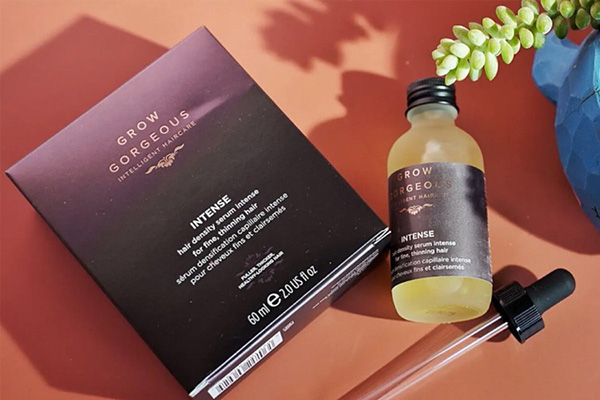
GrowGorgeous is a UK-based health and hair care brand under The Hut Group, focusing on scalp care products. Its hair growth and nourishing serums are said to awaken hair follicles, not only preventing hair loss but also promoting regrowth and restoring receding hairlines, earning it the reputation of a hair growth miracle. This article introduces a guide to shopping on the GrowGorgeous US official website, showing you how to place orders and shop on the GrowGorgeous official website. If you also want to order from the GrowGorgeous US official website but don't know how, feel free to click on this GrowGorgeous US official website shopping guide. 1. Grow Gorgeous US Official Website Shopping Guide: 1. Open the Grow Gorgeous US Official Website Grow Gorgeous US official website URL: https://www.growgorgeous.com/ 2. Log in or Register Click ACCOUNT in the top right corner of the page, then select Log in / Register Registered users log in directly with email and password Unregistered users fill in personal details to create an account 3. After registering, return to browse products and add them to the cart 4. Enter the shopping cart to review the order and checkout If you have a promo code for this site, enter it here and apply to get the discount 5. Fill in the shipping address 6. Choose a shipping method 7. Choose a payment method You can use bank cards, WeChat Pay, and Alipay. Confirm everything is correct and submit the order 8. Wait for delivery! 2. Other Notes for Ordering on the Grow Gorgeous US Official Website 1. The official website supports Alipay and WeChat Pay 2. Orders over 350 RMB qualify for free direct shipping to China 3. The website can switch to the Chinese official website and Chinese language pages

Matchesfashion 官网2022最新海淘直邮攻略

Matchesfashion 2022 Guide: How to Shop & Ship Internationally

The Matchesfashion website features over 400 designer brands, including international heavyweights like Gucci, Balenciaga, and Marni. In addition to these big names, Matchesfashion also sells a selection of niche, up-and-coming designer brands, where you can often find seasonal items and limited-edition pieces from well-known labels. Alongside its online store, Matchesfashion has physical experience stores in London's Marylebone, Notting Hill, and Wimbledon, making it convenient for customers to shop in person. UK consumers enjoy a 28-day free returns and exchanges policy. Matchesfashion also offers direct shipping to China and international delivery services, making it easy for cross-border shopping enthusiasts and Chinese consumers to make purchases. The following is a guide on how to place an order for direct shipping from Matchesfashion. It explains the steps for ordering and shopping on Matchesfashion. If you want to place an order on Matchesfashion but don't know how, feel free to click on this Matchesfashion shopping guide tutorial. 1. Open the MF website; Matchesfashion website URL: https://www.matchesfashion.com/ 2. Log in / Register an account; Click "Sign In" in the top right corner. Existing users select "Current Customer" to log in. New users select "Create An Account" to register. 3. Browse and select products after registration; Return to the product page, add the items you want to purchase to your shopping bag, then click the "Bag" shopping cart icon in the top right corner to go to the shopping cart page. 4. Click on the "Bag" text in the top right corner to view your shopping cart and enter the cart page; 5. Click "PROCEED TO PURCHASE" to enter the shipping information page. This example uses direct shipping to China. 6. Then proceed to the payment and billing address page. After confirming everything is correct, click "PURCHASE NOW" to pay. 7. Note: Direct shipping to China requires a $15 international shipping fee, which is tax-exclusive. You can monitor the customs duty status at any time.

Skechers US 斯凯奇美国官网最新海淘攻略

Skechers US Official Website Latest Overseas Shopping Guide

Skechers is one of the most popular footwear brands worldwide, and it has become especially popular in China in recent years. Skechers athletic shoes are known for their comfort, with designs full of vitality, positivity, joy, and innovative elements, making them very popular among young people in China. This article introduces a guide for placing orders on the Skechers US official website for overseas shopping, explaining how to order and shop on the Skechers US official website. If you also want to place an order on Skechers but don't know how to proceed, feel free to click and check out this Skechers US official website overseas shopping guide. 1. Skechers US Official Website Ordering Guide 1. Open the website Skechers US official website URL: https://www.skechers.com/ 2. Log in to your account Click the menu in the upper right corner of the page and select Login Existing users log in with email and password If not registered, click Create Account and enter registration information 3. After registration, return to browse products and add to cart 4. After finishing, open the shopping cart, review the added order, and start checking out If you have a promo code obtained from this site, enter it in the position shown below to get a discount 5. Fill in the shipping address 6. Select shipping method 7. Select payment method and verify your billing address Using credit card payment as an example, fill in the credit card number, expiration date, security code, and other relevant information as shown in the image 8. Carefully review the order, confirm it is correct, and place the order 9. Then wait for the forwarding company to receive the goods and complete the forwarding details to receive your order! 2. Other Notes for Ordering on the Skechers US Official Website 1. Skechers supports payment via Visa, Mastercard, American Express, Discover, and PayPal, among other methods 2. The Skechers US official website does not support direct shipping to China; a forwarding service is required 3. Registered members on the official website get free shipping within the US

Neiman Marcus 尼曼百货官网海淘直邮中国下单教程

Neiman Marcus Official Website Direct Shipping to China Order Tutorial

Neiman Marcus is one of the oldest luxury department stores in the United States, bringing together top global fashion brands with a history of over 100 years. This article introduces a step-by-step guide on how to place an order for direct shipping from the Neiman Marcus official website. It explains how to shop and place orders on the Neiman Marcus site. If you also want to order from Neiman Marcus but don't know how, feel free to check out this Neiman Marcus direct shipping to China tutorial. 1. Neiman Marcus Official Website Direct Shipping Order Guide 1. Open the Neiman Marcus official website Neiman Marcus official website URL: https://www.neimanmarcus.com/ 2. Click to log in Click the "Sign in" text in the upper right corner of the page, then choose to log in or register. Users with an existing account can log in directly using their email and password; users without an account click to register. Enter registration information. 3. Scroll to the bottom of the page and click to change country/region. Switch the shipping destination to China. 4. Select your desired items and add them to the shopping cart. 5. Open the shopping cart and proceed to checkout. If you have a promotional code shared on this site, you can enter it here to get a discount. 6. Fill in the billing address (use Chinese pinyin). 7. Review the order details. 8. Choose a payment method. Using a credit card as an example, fill in the credit card number, expiration date, security code, and other information in the image below. Confirm everything is correct and submit. 9. Just wait at home for your delivery! 2. Neiman Marcus Official Website Direct Shipping Order Notes 1. The Neiman Marcus official website supports VISA, MasterCard, American Express, and PayPal payments, but it is best to use an American Express card (a phone confirmation may be required). 2. Direct shipping orders from the official website will have duties prepaid. 3. Additionally, it is recommended not to purchase too many items at once or spend too much, to reduce the chance of order cancellation.

Amazon US 亚马逊美国直邮中国海淘图文教程

Amazon US Direct Shipping to China: A Step-by-Step Guide

Long-time international shoppers know that Amazon US is a comprehensive shopping website that consistently offers great discounts and many beginner-friendly policies that appeal to overseas shoppers. The US Amazon shopping site has a complete range of product categories, attentive service, and frequent promotions, making it the top choice for many domestic shoppers looking to buy from abroad. Below is a tutorial on how to place a direct-ship order from Amazon US, showing you how to shop and order on Amazon US. If you want to place an order on Amazon US but don't know how, feel free to click on this illustrated guide for direct shipping from Amazon US to China. 1. Guide to Placing Direct-Ship Orders on Amazon US 1. First, open the Amazon US official website Amazon US official website URL: https://www.amazon.com/, click the link to access directly 2. Click to log in Click "Sign in" in the upper right corner of the page. If you have an account, enter your email and password to log in. If you are not registered, click "Create account"; Enter registration information and click "Continue" to join; 3. After registration, return to the page and browse by category or search to select your desired items, then add them to the cart; 4. Click on the shopping cart to view your order and carefully check it; 5. Fill in your shipping address Enter your domestic shipping address directly, using pinyin to fill it in; 6. Choose a payment method Using bank card payment as an example, fill in the relevant information such as card number, expiration date, and security code in the image below, and click to pay once everything is correct; 7. Wait at home for delivery! 2. Other Notes for Placing Direct-Ship Orders from Amazon US to China 1. The Amazon US official website supports payment via UnionPay, Visa, MasterCard, American Express, and JCB cards 2. Direct shipping will include prepaid customs duties;

The Children's Place 美国官网最新海淘下单攻略

The Children's Place US Official Site: Latest Overseas Shopping Guide

The Children's Place is an affordable children's clothing brand in the US, offering apparel, accessories, and shoes for newborns up to age 14. With a wide variety of styles and bright colors, the official website often features discounts and promotions, making overseas shopping very cost-effective and popular among parents and children. This article explains how to shop on The Children's Place official website, providing a step-by-step guide on placing orders for overseas purchases. If you want to order from The Children's Place but don't know how, feel free to check out this The Children's Place overseas shopping guide. 1. The Children's Place US Official Website Overseas Ordering Tutorial 1. Open the official website The Children's Place US official website URL: https://www.childrensplace.com/us/home, Note: A VPN is required to access it. 2. Register a website account Click the top right corner. If you have an account, log in with your email and password. If not registered, click to create one. Enter registration information to create an account. 3. Select items and add them to the cart. 4. Click the shopping cart icon in the top right corner to enter and review your order details. 5. Enter the shipping address and select the delivery method. 6. Choose a payment method Using card payment as an example, fill in the card number, expiration date, security code, and other details as shown in the image. 7. Review the order information, confirm it is correct, then pay and submit the order. If you have a promo code, enter it and click apply to get the discount. 8. All that's left is to wait for the forwarding company to receive the package, prepare the shipping details, and sit tight for delivery! 2. Other Ordering Notes for The Children's Place US Official Website 1. Orders do not support direct shipping to China; you can use a forwarding service. Free shipping within the US. 2. The official website accepts Visa, Mastercard, American Express, Discover, and PayPal payments.

MyBag 英国官网2022最新海淘攻略

MyBag UK Official Site 2022 Latest Overseas Shopping Guide

MyBag is an online e-commerce platform under The Hut Group in the UK, specializing in luggage, leather goods, handbags, and jewelry. Its products mainly include bags for men and women, sunglasses, scarves, belts, and more. Popular items include Cambridge Satchel, Grafea, AnnaLouofLondon, Ted Baker, Mi-Pac, Michael Kors, and other highly sought-after brands. It also offers a 14-day security guarantee, allowing you to return products directly within 14 days of receipt if any defects are found. The website supports payment with international cards, including domestic UnionPay credit cards, and also offers Alipay as a payment option, with free direct shipping to China. Next, we will provide a detailed guide on how to place an order on this website for overseas shopping. MyBag official website URL: https://www.mybag.com/ 1. First, you need to register as a member of the MyBag website. Click the URL above to open the homepage, then expand the menu in the top left corner: Click Sign in to log in: If you are already registered, click SIGN IN directly to log in. New users should select New To MY Bag and click the CONTINUE button to register an account: On the page that appears, fill in your name, email, and other information, then click Continue. If everything goes smoothly, you will be redirected to the registration success page. 2. After registering, start selecting products. You can browse products by category from the homepage menu, by brand, or directly search for products by keyword. Enter the product details page, select the quantity, and click Add To Basket to add it to your cart: 3. If you want to continue shopping, click CONTINUE SHOPPING. To proceed to checkout, click VIEW BASKET to go to your shopping cart. On the cart page, you can see the order details. If you have a promo code, don't forget to enter it below to get a discount. After confirming everything is correct, click CHECKOUT SECURELY NOW to proceed with payment. 4. When filling in the shipping address, enter your domestic address in pinyin. Note that using pinyin entirely is sufficient. There is no need to translate it into English, as this address is for the Chinese courier. It is recommended to include your phone number next to your name or address to avoid it being missed when the shipping label is printed. 5. Select the shipping method, then click Continue to proceed: 6. Choose your payment method. The image below shows that the website currently accepts various payment methods, including credit cards, Alipay, UnionPay debit cards, and UnionPay credit cards. Select Alipay, click Submit My Order below to place the order, and you will be redirected to the Alipay page to complete the payment. After finishing the payment, wait for the page to automatically redirect back. Do not close it manually, as this may cause delays in tracking your order. 7. If you choose to pay by credit card, you will need to enter your credit card number, cardholder name, expiration date, and other information. Then click Submit My Order to place the order and complete the purchase. Tips: Before placing an order, be sure to double-check the shipping cost, product types and quantities, and whether the promo code has been applied, etc. Once the address is generated, information such as the shipping address cannot be modified. Additionally, if the product you purchased is in stock and the order status shows "In Warehouse," the order cannot be canceled. If you accidentally made a mistake and the item in the order happens to be out of stock, you can try to request an order cancellation. The steps are as follows: Request -- Log in to your website account, go to MY ACCOUNT - ORDERS - ORDER HISTORY, find the order, click the CANCEL button, and submit the cancellation request. After successfully canceling the order, the refund will generally be returned to the payment method you used within five to ten working days.

Sportsdirect UK 英国官网2022最新海淘直邮攻略

Sportsdirect UK Official Site 2022 Direct Shipping Guide

Sportsdirect is a well-known British sports retailer. Sportsdirect sells both in physical stores and on its website. Compared to other local merchants, it has a clear advantage in pricing and is known as the UK's number one sportswear distributor. Sportsdirect sells products from many major sports brands, offering a wide selection at very affordable prices. Now, we've put together a guide on how to shop internationally on the official UK website, teaching you how to place an order on Sportsdirect. If you also want to place an order on Sportsdirect but don't know how, this article is for you. Next, let's briefly introduce the overseas shopping guide for the official Sportsdirect UK website. 1. Open the Sportsdirect Official website; The entrance to the Sportsdirect UK official website is: https://www.sportsdirect.com/, click to open the website; 2. Register an account; Users who haven't registered can click on Continue Securely to register; Next, you will enter the registration page; Friends who have already registered can directly select Sign In to log in; 3. Select items and add them to the shopping cart; Find the shoes or clothing you want to buy, add them to the shopping cart, then click MY BAG in the top right corner to view the shopping cart page; The shopping cart page is shown below; 4. Click Continue Securely, then choose your delivery method. If using a forwarding service, select the first option; 5. The Sportsdirect website supports direct shipping to China, so below we will use direct shipping as an example (direct shipping to China starts at £15.99, so we think forwarding is more suitable unless shipping to Hong Kong for self-pickup); 6. Next, you will enter the shipping method page; 7. Click continue to submit, and you will enter the payment page where you need to select a payment method; 8. Below, using credit card payment as an example, the last field can be left blank and ignored; 9. Finally, verify the order information, confirm it is correct, and submit the order; 10. All that's left is to wait for the delivery~ If you choose forwarding; fill in the forwarding address in step 5, as shown below; Then, you will enter the shipping method selection page; The payment method is the same; All that's left is to wait for the forwarding company to receive the goods, prepare the forwarding details, and wait for delivery!

ARKET 英国官网最新海淘下单攻略

ARKET UK Official Website Latest Overseas Order Guide

Arket is a fashion clothing brand from Stockholm, Sweden, and a new brand under the H&M Group. It focuses on high-quality, minimalist men's and women's clothing, shoes, homeware, and other products, simplifying shopping choices for customers and promoting a healthier, more eco-friendly lifestyle. This article introduces a guide on how to shop on the Arket UK official website, explaining how to place orders and shop internationally. If you want to order from the Arket UK site but don't know how, feel free to check out this Arket UK shopping guide. 1. Arket UK Official Website Ordering Tutorial 1. Open the website Arket UK official website link: https://www.arket.com/ 2. Log in Click the top left corner of the page and select Log In If you have an account, simply log in using your email and password New users click Create Account, enter your information, and click Join 3. Select items and add to cart 4. Review your order, click to view 5. Fill in the delivery address 6. Choose a shipping method 7. Choose a payment method Using a bank card as an example, fill in the card number, expiration date, security code, and other relevant details completely. Confirm everything is correct and click Pay. 8. All that's left is to wait for the forwarding company to receive the package, prepare the shipping details, and sit tight for your delivery! 2. Arket UK Official Website Ordering Notes 1. The official website supports Visa, MasterCard, American Express, JCB cards, and PayPal payments 2. Free shipping within the UK on orders over £125 3. The official website does not support direct shipping to China; you can use a forwarding service to place orders

Alexander Wang 美国官网最新海淘攻略教程

Alexander Wang US Official Website Shopping Guide & Tutorial

For those who have been in the fashion circle for a long time, the brand Alexander Wang is probably quite familiar! It is the eponymous brand founded in 2004 by Chinese-American Alexander Wang, who is the most popular and youngest Chinese-American designer in New York. The brand is known for its clean cuts and natural, minimalist design style, attracting a large following. This article introduces a guide on how to shop on the Alexander Wang US official website, explaining how to place an order and make a purchase. If you also want to order from the Alexander Wang US official website but don't know how, feel free to click and check out this Alexander Wang overseas shopping tutorial. 1. Alexander Wang US Official Website Ordering Tutorial 1. Open the website Alexander Wang US official website entrance: https://www.alexanderwang.com 2. Log in Click the menu option at the bottom of the page and select Account If you have an account, simply log in using your email and password Unregistered users select Register, enter personal information to create an account Open your email, click the confirmation link in the message to activate your account Registration successful, log in again 3. Select items and add to cart 4. Open the shopping cart and review the order 5. Fill in the shipping address 6. Select shipping method 7. Select payment method If you choose UnionPay, enter your card information to checkout If you choose credit card checkout, fill in the card number, expiration date, security code, and other relevant information completely. Confirm and click confirm 8. Submit the order 9. All that's left is to wait for the forwarding company to receive the package, prepare the shipping details, and sit tight for delivery! 2. Notes for Ordering on Alexander Wang US Official Website 1. The official website accepts UnionPay, Visa, MasterCard, American Express, JCB, and PayPal payments 2. Does not support direct shipping to China, can order via forwarding service

Atterley 英国官网最新海淘直邮攻略

Atterley UK Official Website: Latest Guide to Direct International Shipping

Atterley is a very popular fashion e-commerce platform in the UK, offering a wide range of high street fashion brands. From big names to affordable luxury and even some fast fashion, you can find it all here. It also has its own independent brand. In addition to clothing, it sells stylish shoes, bags, watches, and jewelry, with a rich variety of styles! This article introduces an Atterley overseas shopping guide, showing you how to place an order on the Atterley UK official website. If you also want to order from the Atterley UK official website but don't know how, feel free to click and check out this Atterley direct mail overseas shopping guide. 1. Atterley UK Official Website Ordering Tutorial 1. Open the website Atterley UK official website entrance: https://www.atterley.com/ 2. Log in Select the dropdown menu in the upper left corner of the page and click My Account Existing users can log in with their email and password. Unregistered users click Register Account. Enter information and click Create 3. Select items and add to cart 4. Review order and click Checkout 5. Choose checkout method and fill in shipping address 6. Choose shipping method 7. Fill in payment information and submit order Using a credit card as an example, fill in the credit card number, expiration date, security code, and other relevant information completely, then verify the billing address. 8. Wait for delivery! 2. Atterley UK Official Website Ordering Notes 1. The official website supports direct shipping to China, shipping cost is £10. You can also use a forwarding service. Free shipping within the UK for orders over £50. 2. The official website supports payment via Visa, Master Card, American Express, and Amazon Pay.

2022年Ssense官网什么时候打折?

When does Ssense official website have sales in 2022?

As a famous overseas online shopping website in Canada, Ssense offers men's and women's clothing, shoes, and bags, mainly featuring boutique products such as G-Star, D&G, and MissSixty. Although not high-end luxury, it has been loved by bargain hunters for years due to its unique style and taste, and there are often discounts on regular days! But there are big events every year. So when does Ssense have sales in 2022? Ssense official website link: https://www.ssense.com/zh-cn Here's the key: In fact, the Ssense official website frequently runs promotions, usually coinciding with holidays. During these times, you can grab some big-name brands and hunt for deals. When exactly are the 2022 sales? It is reported that Ssense in 2022, as in previous years, holds major sales twice a year, offering discount periods that drive shoppers wild: once in the summer (July-August) and the other near winter during Black Friday. Generally, the Black Friday discounts in winter are bigger, as most people know. Initially, there aren't storewide discounts; it usually starts with 50% off, and more products are gradually added to the sale. As Christmas approaches, discounts during the Black Friday period can even drop to a massive 40% or 30% off, which is the most exciting time (this happens almost every year, but items sell out very fast. Little O suggests you add items to your cart in advance, otherwise you won't be able to snag them). Also, at the bottom of the Ssense webpage, you can select different countries, so the items you see in the Sale section will vary! About Ssense payment and shipping Their products are priced in US dollars and can be shipped directly to China! Shipping to Mainland China, Hong Kong, and Taiwan costs $50, with free shipping on orders over $350. Common payment methods like domestic credit cards, VISA, and dual-currency credit cards work well. Based on the information above, you should now know when Ssense has sales in 2022! This year's Black Friday is still far off, so let's first focus on the July-August discounts. Remember to add your favorite items to the cart early! Add to cart early!

Neimanmarcus 尼曼百货订单找不到怎么办?

What to Do If You Can't Find Your Neiman Marcus Order?

Neimanmarcus?尼曼 is a chain of high-end department stores primarily focused on luxury goods. Headquartered in Dallas, Texas, it can be found on the most bustling streets of almost every major city. With over 100 years of history, Neiman Marcus has become the most trusted brand in luxury retail, and the respect from various high-end designer brands is evident in their exclusive limited editions. Neimanmarcus?尼曼 Department Store Official Website Link: https://www.neimanmarcus.com/ Many friends have reported that after placing an order on the Neimanmarcus website, the payment was deducted successfully, but they cannot find the order number in their order history. What should you do? The main reasons are generally as follows:Update: 1. Confirm whether you placed the order while logged into an account, or if you cannot find the order number because you ordered as a guest. 2. Check if there is a network delay; you can wait half an hour and check again. 3. Website IP issues; the website may have canceled the order, or the order may not have been successfully placed at all, only a pre-authorization hold was made. In this case, it won't be recorded, but the order wasn't successfully placed. 4. You can check your corresponding email account to see if the order information has been confirmed. 1. Delayed orders. During website promotions, a large number of users will enter the site to place orders. At this time, the website's processing of information will be delayed, causing users to be unable to find their orders. So don't worry, be patient and wait a while; it may appear normally. 2. Website order cancellation, meaning the intentional cancellation of an order. Reasons for order cancellation: 1) The website detects that the shipping address is from a Chinese IP and cancels domestic IP orders. 2) The bound bank card is a domestic Chinese credit card, and the website cancels domestic card orders. 3) The selected forwarding company's address is blocked by the website, and orders using that forwarder are canceled. 4) False inventory. 5) Purchasing too many items, or placing a bug order. 3. Guest checkout. Purchasing without logging into an account is called a guest order. Without an account login, there will be no order in your history. If you want to find your order number, you can contact customer service for recovery.Currently, some products on the Neimanmarcus website can be shipped directly to China, but popular beauty brands do not support direct shipping and require forwarding. User feedback: For your first purchase, you may be notified via email that you need to call to confirm your credit card information. You can provide the credit card's real billing address in online customer service to complete the order deduction.

亚马逊中文海外购-海淘注意事项

Amazon China Global Store - Overseas Shopping Tips

Amazon Global Store is a dedicated overseas shopping zone for Chinese consumers. Products are shipped directly from Amazon sites in the US, Japan, UK, and Germany via direct mail. The page is fully in Chinese, and it supports mainstream Chinese payment methods like Alipay and WeChat Pay, making it the first stop for many cross-border shoppers. Below, the editor will outline a few key points to note when placing an order on this site, hoping to help those who haven't ordered yet or those who have purchased but haven't noticed related issues. 1. Prime members get free shipping on orders over 200 yuan. Items eligible for free shipping will be marked with "Prime" below them, and further below it will indicate which Amazon site ships the item. A Prime quarterly membership costs 79 yuan, and an annual membership costs 288 yuan. 2. Prepaid customs duties are required at checkout. The number below the price is the total of shipping + taxes. Therefore, when calculating taxes, ensure your order totals over 200 yuan for checkout. Sometimes the tax displayed on the product page may differ from the checkout page; the checkout page is the final reference. 3. When ordering on Amazon Global Store, the orderer's information must match the payer's information. According to regulations from the General Administration of Customs, "Domestic agents of cross-border e-commerce enterprises shall review the authenticity of transactions and consumer (orderer) identity information and bear corresponding responsibilities. If identity information has not been certified by national authorities or their authorized agencies, the orderer and payer must be the same person." 4. When shopping on Amazon Global Store, after placing an order, you will enter the payment method selection page, then proceed to the ID submission page. On the ID submission page, you need to add "Payer ID information," ensuring the submitted ID matches the payer's information. 5. When using the web or mobile app, if the system detects a mismatch between the orderer and payer information after you place an order, you will receive an SMS/email notification to update it. There will also be a text reminder on your "My Orders" page. Update the orderer's ID information to match the payer's as required, and the product will ship normally. 6. Products generally ship within 1-2 days and arrive within 7-15 days. If there is a significant delay in shipping, it is recommended to contact customer service to check what the issue might be. 7. If you want to cancel an order, it must be done before shipment. After shipment, only returns are possible, and return shipping costs are very high. Be sure to carefully review product details, such as shoe sizes, before ordering. For any non-product-related reasons for returns on Global Store purchases, the buyer bears the shipping costs, which are typically over a hundred yuan. 8. When purchasing electrical appliances, check the voltage requirements. If unsure, consult customer service. Generally, small appliances from Japan and the US require a voltage transformer, while those from Amazon Germany and Amazon UK only need a plug adapter. 9. The site's biggest annual events are Prime Day in July (postponed to September due to the pandemic) and the Double 11 promotion in November. Before these promotions, there is usually a half-price offer on Prime quarterly memberships. This offer is for users who are not currently in a membership period and cannot be used for renewals. Plan your Prime membership end date accordingly. 10. The single transaction limit for cross-border e-commerce retail imports is 5,000 yuan, and the annual personal transaction limit is 26,000 yuan. When purchasing multiple items on Amazon Global Store, adhere to the principle of "personal use, reasonable quantity" and ensure you do not exceed this limit. Amazon Global Store differs from other overseas shopping sites. It is essentially a Chinese website, so it is more closely tied to Chinese holidays. Events like 618 and Double 11 are becoming increasingly significant, similar to domestic platforms. There are weekly promotions, and occasionally ultra-low-priced products. Stay tuned to this site's deals for timely updates on good discounts.

Adidas集团将出售旗下品牌Reebok

Adidas Group to Sell Its Reebok Brand

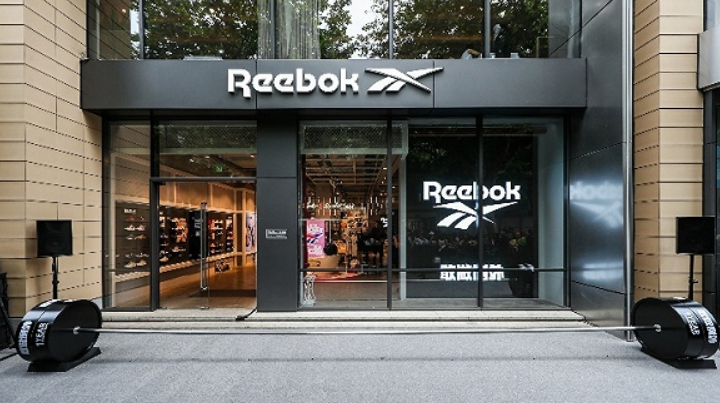
According to foreign media reports, German sportswear giant adidas Group will sell its subsidiary brand Reebok, with the transaction expected to be completed by March next year. The Reebok brand was acquired by the adidas Group for $3.8 billion in 2006, a deal once hailed as "the largest acquisition in sportswear brand history." However, Reebok's development subsequently hit a bottleneck and lost momentum. Potential buyers for Reebok now include VF Corporation, which owns Timberland and The North Face, as well as China's Anta Group. Following this announcement, adidas shares rose by 3.2%. According to reports, although adidas CEO Kasper Rorsted had hoped to sell Reebok for €2 billion (equivalent to $2.4 billion) before the pandemic, the company may now have to sell it at a lower price. In early August this year, the adidas Group reported its second-quarter operating results. Revenue fell 34% in the second quarter, with a gross margin of 51.0%, down 2.4% year-on-year. Compared to a profit of €643 million in the same period of 2019, the company posted an operating loss of €333 million this year, with an operating margin of -9.3%. Sales of the group's main brand, Adidas, fell 33%, while Reebok fared even worse, dropping over 40%. The good news is that the company's own e-commerce channel sales grew 93% in the second quarter, up from just 35% in the first quarter. Revenue from adidas' e-commerce business, including its own operations and partner channels, accounted for more than one-third of the company's total revenue. Overall, adidas suffered a net loss of €286 million from continuing operations in the first half of 2020, with Reebok's poor performance being a major factor dragging down the group.

Mankind 2021最新海淘下单攻略

Mankind 2021 Latest Overseas Ordering Guide

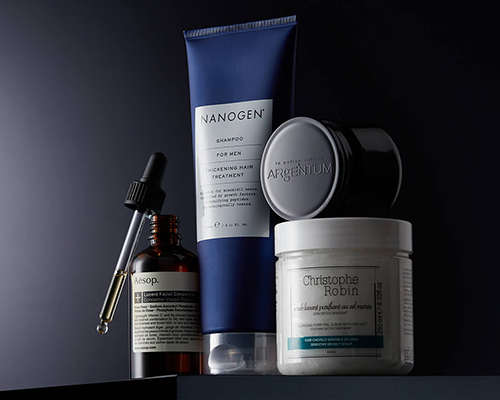
Mankind is a leading UK men's grooming and skincare company, part of the British e-commerce giant HUT.COM, and enjoys a solid reputation among international online shoppers. It offers a wide range of skincare, hair care, and shaving products, with popular brands including CLINIQUE, AESOP, and American Crew. By sourcing directly from manufacturers and offering worldwide direct shipping, Mankind significantly reduces costs, making it affordable and popular with consumers globally. Mankind official website: www.mankind.co.uk Here is a guide on how to shop on the Mankind official website: 1. First, open the homepage to register an account. Click to expand the menu in the top left corner: Click Sign in to log in or register: Existing users enter their email and password to log in. New users click Continue below to register: You will then be taken to the account information page. Fill it in as shown in the image below. Note that your name should be entered in pinyin following the Chinese surname order. Click CONTINUE to proceed once completed. 2. Registration complete, start shopping. Browse products by category, search, etc. Take this Aesop Parsley Seed Anti-Oxidant Serum as an example. Select the quantity and click Add to basket: 3. Go to your shopping cart. You will see a prompt that you can pick a free sample when your order is over £35. Click Click here to make your selection or expand the Free gift section below to choose a sample: After selecting, add it to the cart. Enter a discount code in the dialog box below and click ADD to apply it for savings. Then click Checkout to proceed: 4. MANKIND UK supports direct shipping to China, with free shipping for orders over £40. So we choose direct shipping. Fill in the delivery address in pinyin. Be sure to include your phone number in the address field for delivery purposes. Direct shipping takes 10 to 20 days to arrive in China. Then click Continue to proceed: 5. Select the default shipping method and click Continue to go to the payment section: 6. The Mankind official website currently supports various payment methods including Alipay, credit cards, UnionPay, PayPal, and Visa. You can choose Alipay. Click Submit My Order at the bottom of the page to place the order. You will be redirected to the Alipay page to scan a QR code or log in to Alipay to complete the payment. You can also choose to pay by credit card. Enter your credit card number, cardholder name, expiration date, security code, and other details. Confirm the billing address, then click Submit My Order to place the order and complete the purchase. All that's left is to wait for the website to ship your order and sit back for delivery! Tips: If you choose Alipay, please note: Although you will be redirected to the Alipay page and the process is the same as using it domestically, do not manually close the successful payment confirmation page after payment is completed. This page will automatically redirect back to the MANKIND page within a few seconds and display a successful order placement. If you manually close the successful payment confirmation page, the payment may fail. In that case, keep a screenshot of the successful Alipay payment page and contact MANKIND customer service to request a refund. Go to the [MY ACCOUNT] personal account page, find the third section SUPPORT, and click [CREAT NEW MESSAGE] to access the customer service contact page and submit your refund request information.

Final Score 2021最新海淘攻略

Final Score 2021 Latest Overseas Shopping Guide

Final Score is a sub-brand under Eastbay, a well-known American sports retailer. It mainly offers products and gear for American sports such as baseball, soccer, and football. Final Score's mission is to provide low prices, a wide selection, and stylish designs. As a leading global supplier of sporting goods and apparel, Eastbay is the online sports store under Foot Locker, the largest sporting goods retailer in the United States. Therefore, Final Score is also currently an online sports store under Foot Locker, but it has not joined the Foot Locker FLX membership program. Here is the latest 2020 Final Score overseas shopping guide for everyone. You can shop for sports gear at Final Score. 1. Register an account. Click "Sign In / Register" at the top right of the homepage. In the pop-up dialog, select "CREATE AN ACCOUNT" to create a new account, or log in using an account from another Foot Locker website. Enter your first name, last name, email, password (6-10 characters, no special characters), and date of birth (month/day/year). Check the box to receive promotional emails if desired, then click "CREATE AN ACCOUNT" to continue: Final Score requires email verification. Make sure the registered email is active, and verify it through your email inbox. 2. Registration complete, start shopping. Return to the homepage to browse products by category or search. Click on a product to enter its details page, select color, size, and quantity, then click "ADD TO CART". After adding to cart, a prompt will appear on the right side of the page. Once confirmed, click "VIEW CART" to view your cart and proceed to checkout: 3. On the cart page, you can see the order summary. If you have a promo code, click "Add Promo Code", enter the code, and click "Apply". Then click "CHECKOUT" to proceed. 4. Checkout. Step 1: Fill in the shipping address. Follow the translated prompts on the page to complete it, then click "SAVE & CONTINUE". Step 2: Billing address. If you uncheck "My shipping address is the same as my billing address", you will need to enter a new billing address. Follow the translated prompts on the page to complete it. Step 3: Choose shipping information. Of course, select the free 5-6 business day option. Step 4: Choose a payment method. You can pay by credit card or PayPal. Gift cards are also an option. Here, we choose credit card payment. Enter your credit card number, then fill in the expiration date and security code, and click next: Step 5: Review the order information. Once everything is confirmed correct, click "Submit order" to complete the purchase. After successfully placing the order, you can check the order history in "My Account". PS: Your first order may experience delays, such as taking a long time to ship. This could be due to credit card verification, items being out of stock, or even order cancellation.