Shopping Guides for Smart Shopping

Read practical shopping tips, store updates and deal advice for smarter everyday buying.

Ckarins 法国娇韵诗2021春夏新品防晒开启预定

Clarins 2021 Spring/Summer New Sunscreen Now Available for Pre-order

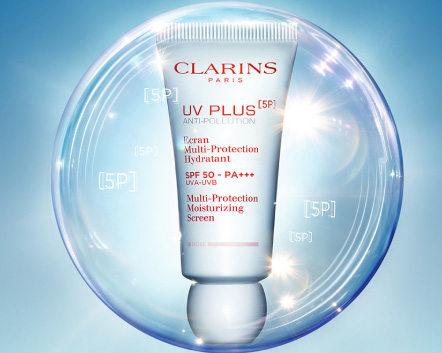
Clarins France launches its new 2021 spring/summer sunscreen, now available for pre-order on Tmall. This is the brand's 5th generation UV White Shield, designed to block five types of pollution that accelerate aging, inflammation, dullness, and dryness: air pollution, indoor pollution, blue light, light pollution, and pollen. This new sunscreen, developed to block all five pollutants, is enriched with organic mango leaf extract and a complex of three plant extracts. It not only protects your skin today but also promotes future skin beauty. UV PLUS 5P Moisturizing Multi Day Screen: SPF50?PA+++ 430¥ to 570¥ Available in 3 variants Translucent - Lightweight, natural, no white cast Does not leave a white cast, blends into the skin, and adds a radiant glow. Its lightweight water-cream texture remains comfortable even in hot weather. Rose - Best-selling rosy tint Also a water-cream type, with a subtle rose-pink hue that adds a natural flush and radiance. Lavender - New lavender tone to neutralize yellow undertones A lightweight mousse-textured lavender shade that reduces sallowness and dullness, brightening the skin for an instant, elegant, natural glow.

Perricone MD 裴礼康美国官网2021最新海淘攻略

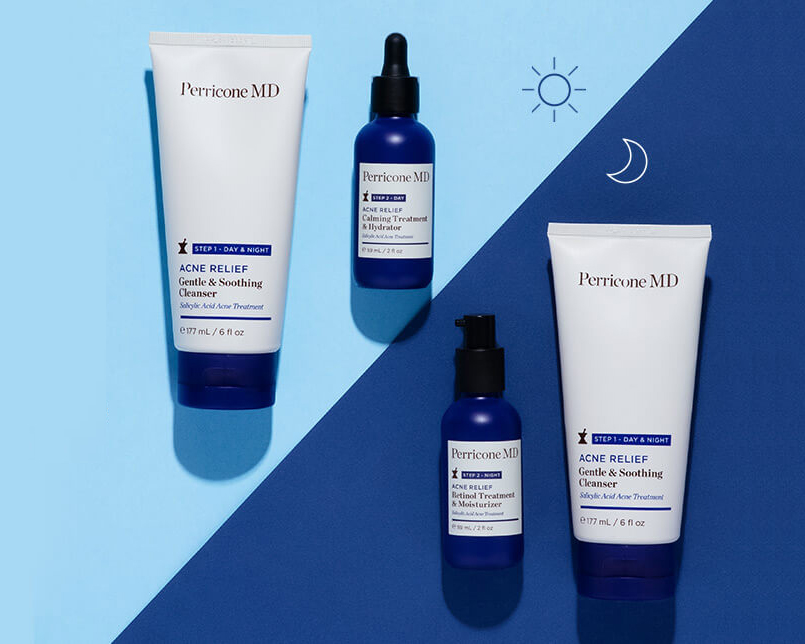
Perricone MD US Official Site 2021 Shopping Guide

Perricone MD was founded in New York by renowned dermatologist Nicholas Perricone, M.D. The Perricone MD US official website sells skincare, supplements, and cosmetics online, with the most famous products being various deep-sea fish oils and anti-aging skincare. This article introduces a guide on how to shop on the Perricone MD US official website, telling you how to place orders and shop on the Perricone MD US official website. If you also want to place an order on the Perricone MD US official website but don't know how, feel free to click and check out this Perricone MD US official website shopping guide. 1. Open the website; Perricone MD US official website shopping URL: https://www.perriconemd.com/, click the link to access directly; 2. Register an account; Click on the account login at the top right. Unregistered users select "Create one" to register an account; Enter the registration page; Friends who have already registered can select LOGIN to sign in; 3. Purchase products; Add the products you want to buy to the shopping cart, then click on CART at the top right to view the shopping cart and go to the cart page; 4. Click on CART at the top right to view the shopping cart and enter the cart page; 5. Click CHECKOUT to enter the shipping address page; 6. Continue to the email method selection page; 7. Continue to the payment and billing address page. After confirming everything is correct, click "pay now" to submit and complete the order; 8. All that's left is to wait for the shipping forwarder to receive the goods, prepare the shipping details, and sit tight for delivery!

Nike 美国官网 2021年最新海淘攻略

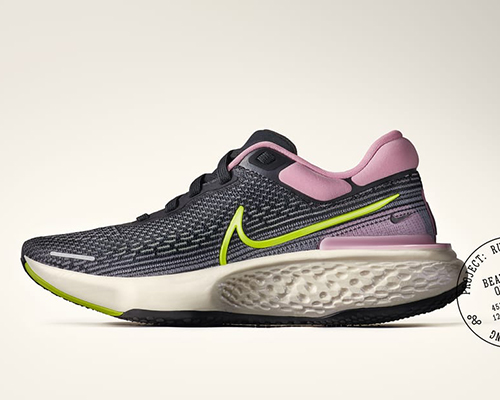
Nike US Official Website 2021 Latest Overseas Shopping Guide

As a world-renowned sports brand, Nike has always held a top-tier position. Nike has a huge fan base globally. However, Nike products in China are relatively expensive, so many people choose to buy from the Nike official website overseas for better prices. This article introduces a guide on how to shop on the Nike US official website, telling you how to place orders and shop on the Nike US official website. If you also want to place an order on the Nike US official website but don't know how, feel free to click and check out this Nike US official website shopping guide. 1. Open the website; Nike US official website shopping URL: https://www.nike.com/, click the link to go directly, it can be accessed directly; 2. Register an account; Click Join/Log In To Nike Member Profile in the upper right corner; Unregistered users selectJoin Us to click and register an account; Enter the registration page; Friends who have already registered can select Sign In to log in; 3. Select products; Add the product you want to purchase to the shopping cart, then click the Cart icon in the upper right corner to view the cart and go to the shopping cart page; 4. Click Cart in the upper right corner to view the shopping cart and enter the shopping cart page; 5. Click CHECKOUT to enter the page for filling in the shipping address, payment method, and billing address. After confirming everything is correct, click PLACE ORDER to submit and complete the order; 6. All that's left is to wait for the forwarding company to receive the goods, prepare the forwarding details, and sit tight waiting for delivery!

Mybag 2021最新海淘攻略

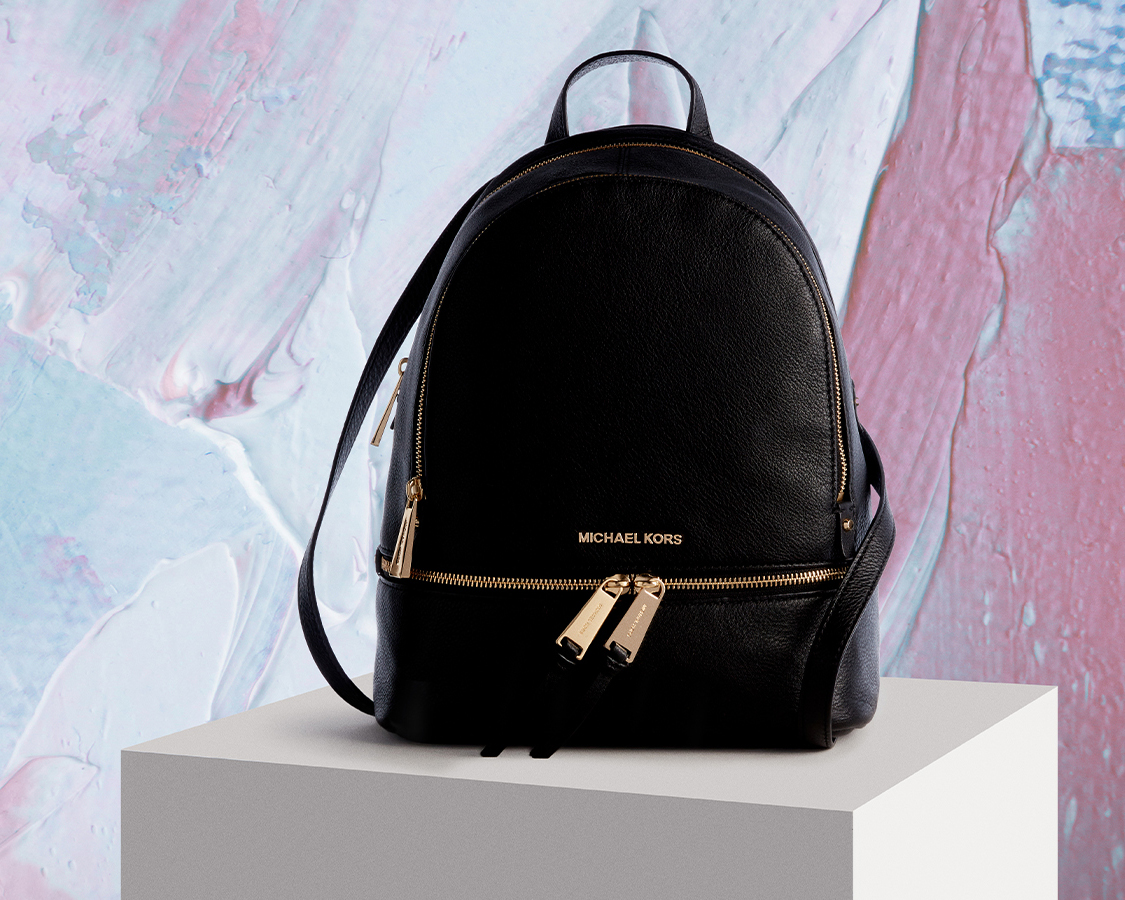
Mybag 2021 Latest Overseas Shopping Guide

Mybag is an online retailer under The Hut in the UK, specializing in luggage, handbags, and accessories. Its product range covers men's and women's bags, sunglasses, scarves, belts, and more. Popular items include highly sought-after brands such as Cambridge Satchel, Grafea, Anna Lou of London, Ted Baker, Mi-Pac, and Michael Kors. It also offers a 14-day guarantee, allowing you to return items if defects are found within 14 days of receipt. The site supports payment with domestic credit cards, including China UnionPay cards, and also offers Alipay as a payment option, with free direct shipping to China. Below, we'll walk you through the official overseas shopping guide. 1. First, you need to register as a MyBag member. Open the website homepage and click to expand the menu in the top left corner: In the expanded menu, click Sign in at the top left to log in: If you are already registered, click SIGN IN directly to log in. New users should select New To MY Bag and click the CONTINUE button to register an account: In the dialog box that appears, fill in your name, email, confirm email, password, and invitation code, then click Continue. If all goes well, you will be redirected to the registration success page. 2. After registration, you can start shopping. You can browse products by category from the homepage menu, select by brand, or search directly using keywords. On the product detail page, choose the quantity and click Add To Basket: 3. If you want to continue shopping, click CONTINUE SHOPPING. If you are ready to check out, click VIEW BASKET to go to your shopping cart. On the cart page, you can see your order details. If you have a promo code, don't forget to enter it below. Once everything is confirmed, click CHECKOUT SECURELY NOW to proceed. 4. Fill in the shipping address. Enter your Chinese address using pinyin. Just spell out the Chinese address completely in pinyin. There's no need to translate it into English, as this address is for the Chinese courier. It is recommended to include your phone number next to your name or address to avoid missing the contact number when the shipping label is printed. 5. Select the shipping method and click Continue: 6. Choose a payment method. The site currently accepts various payment methods including credit cards, Alipay, UnionPay debit cards, and UnionPay credit cards. Select Alipay, click Submit My Order below, and proceed to pay on the Alipay page. After completing the payment, wait for the page to automatically redirect back. Do not close it manually, as this may cause delays in order tracking. 7. If you choose to use a credit card, you will need to enter your card number, cardholder name, expiration date, and security code. Click Submit My Order to complete the purchase. Tips: Before placing an order, be absolutely sure to double-check the shipping costs, product types and quantities, whether a promo code has been applied, etc. Don't be fooled by the seemingly laid-back British; they are quite meticulous about this. Once the address is generated, shipping information cannot be modified. Also, if the item you purchased is in stock and the order status shows "In Warehouse," the order cannot be canceled. If you accidentally made a mistake and the item in the order happens to be out of stock, you can try to request an order cancellation. The steps are as follows: Request -- Log in to your website account, go to MY ACCOUNT - ORDERS - ORDER HISTORY, find the order, click the CANCEL button, and submit the cancellation request. If the cancellation is successful, a refund will generally be processed within five to ten working days back to the payment method you used.

Jomashop 2021最新海淘攻略

Jomashop 2021 Latest Overseas Shopping Guide

Jomashop is a website many of you will find familiar. It's an online watch retailer based in the US, founded in 1987. While primarily focused on watches, it also sells bags, jewelry, stationery, and other products. As a well-established North American shopping site, it's trustworthy. It offers a wide range of watches, from top-tier brands like Vacheron Constantin to popular Chinese favorites such as IWC, OMEGA, and TISSOT, ranking highly in online watch sales in North America. Below is a guide to overseas shopping using the Jomashop US official website on mobile. First, go to Jomashop to register an account. 1. Click to expand the menu at the top left of the homepage, then click "Register" at the bottom left: 2. On the registration page, enter your email address and account password. After filling them in, click "CREATE ACCOUNT" to proceed to the next step: On the new page that loads, enter your name (or username), check the box if you want to receive promotional emails, and click Save. You can also skip this step and complete it later. 3. Click to expand the menu, and browse for products you like using the menu categories or the search bar at the top left: Click "special offers" to enter the promotions page. Here you can see brands, discounts, promotion periods, and other information. You can also select products based on promotional brands: 4. Once you've chosen your desired product, select the quantity and click "Buy Now" to add it to your cart: A small window will pop up. Click "VIEW MY BAG" here. 5. In the shopping cart, you can edit the items. If you have a promo code, enter it in the "Promo Codes" field and click "APPLY PROMO CODE". The image below shows the total price and the content displayed in the promo code field after entering the discount code: If you have a gift card, you can use it for checkout. Enter the gift card number in the "Enter gift card code" field below and click "ADD GIFT CARD" to use it. Additionally, the shopping cart has a feature to estimate shipping costs. Select the state of your forwarding address and enter the zip code, then click "GET QUOTE". Different shipping options and their costs will be displayed below. You can enter the free shipping promo code FASTSHIP (valid long-term) here, so the first option, Ground, will be $0. If you don't need express delivery, you can select the first "Ground" shipping method, which takes about 5-7 days to deliver to the forwarder. After selecting the shipping method, the order total on the right will be automatically calculated based on the product price plus shipping (as shown below). Once confirmed, click "PROCEED TO CHECKOUT" to proceed to payment. Note: I selected an address in New York State here, so sales tax will apply. If you're not in a hurry and want to save money, you can choose to use a tax-free state address provided by your forwarding company to reasonably avoid this sales tax. 6. Step one of checkout: fill in the billing address. Follow the prompts to enter the relevant information. The system will default to making your credit card billing address the same as your shipping address. According to user reports, if the credit card billing address is incorrect, it may lead to order cancellations. Therefore, it's recommended to enter your real domestic address here. Then, under the shipping address, select "ship to different address" and fill in your forwarding address as prompted. Click "Continue Checkout": 7. Select the shipping method. As mentioned earlier, after entering the free shipping promo code, you can directly choose Ground. If you used another promo code, selecting Economy by default is also fine. Below, choose the payment method: Enter your credit card information. Here we use a credit card for payment. After filling it in, click "Continue Checkout" below. You can see that the official website now supports WeChat Pay and Alipay, which are familiar to us. If you don't have a credit card, you can consider using these two methods. Also, if you didn't enter a promo code earlier, you can still do so here to get the corresponding discount: 8. The final step: carefully review and confirm the order. Double-check that all the entered information is correct. Once everything is confirmed, click "Place order" to submit the order. This completes the entire shopping process. If you want to view order details, you can go to "My Account" and check the order history. If you need to cancel or modify an order, click the "Contact Us" link to reach online customer service. The online customer service is available from 9 AM to 9 PM US time on weekdays. Finally, a reminder: watches are valuable items and may be subject to customs duties. If the price is very high, it's recommended to bring them back personally.

宝宝们开始囤货了!雅诗兰黛旗下彩妆品牌Becca将于9月关停

Babies are stocking up! Estée Lauder's makeup brand Becca will close in September

Recently, Estée Lauder announced that it will officially shut down its beauty brand Becca in September this year, including closing underperforming retail stores and travel retail counters, and is doing its best to transfer these employees to other brands. Becca explained that the planned closure is because "challenges have been accumulating for Becca, and the impact of the global pandemic has grown increasingly severe, exceeding Becca's business capacity." It is understood that Becca was founded in 2001 by makeup artist Rebecca Morrice Williams and quickly gained fame for its highlighters. Around 2013, highlighters and contouring became popular makeup products, a trend that lasted until 2016, when Estée Lauder acquired Becca for $230 million. At that time, the makeup business was a highlight for the Estée Lauder Group. In 2017, Estée Lauder even stated in its financial report that Becca drove growth in makeup products. However, as the consumer market continued to change and more emerging brands appeared, Becca's sales began to decline, its online presence shrank, and the popularity it had previously built gradually faded, leading to its eventual closure. In recent years, consumer demand has shifted from makeup to skincare, and the pandemic has accelerated this change. Estée Lauder Group's fiscal 2021 second-quarter report showed that net sales in the makeup category fell 25% to $1.247 billion, with all brands' makeup products experiencing declines. Skincare sales, however, rose 28% to $2.819 billion, offsetting the downturn in the makeup division. As a result, the business focus within the Estée Lauder Group has also shifted. On February 23, Estée Lauder announced an additional $1 billion investment in beauty company Deciem, increasing its stake from 29% to 76%. Deciem, the parent company of popular skincare brand The Ordinary, is estimated to be valued at $2.2 billion. In fact, besides Estée Lauder, many other cosmetics groups are currently adjusting their brand portfolios. Shiseido also recently announced the sale of its personal care businesses, including hair care brand Tsubaki and men's skincare brand UNO.

Cabelas 2021美国坎贝拉最新海淘攻略

Cabelas 2021 Latest Overseas Shopping Guide

Cabelas was founded in 1961 and is a giant in the American hunting and outdoor industry, as well as a world-class supplier of hunting, fishing, and outdoor equipment. It is a website designed for hunting, fishing, and outdoor sports enthusiasts, providing various equipment and apparel for your outdoor life. Cabela's own brand clothing is well-made with outstanding value for money, offering well-known, affordable, high-quality outdoor gear to over 125 countries and regions worldwide. Below, we will guide you through the overseas shopping guide for the Cabelas US official website on mobile. 1. First, you need to register an account. Open the homepage and click to expand the menu in the upper left corner: In the expanded menu, click 'Sign in Or Create' in the lower left corner to log in or register: For users who already have an account, simply enter your email and password to log in. New users should click 'Create Account' below to create an account: Enter your email, password, name, address, and other information, then click 'Create Account' below to complete the registration. 2. Registration complete, start shopping. Browse by category, use the homepage navigation, or search to select your desired products. Enter the product detail page, choose color, size, quantity, and click 'Add to Cart': 3. Enter the shopping cart, verify the product information, and once confirmed, click 'Begin Checkout' to proceed. If you have a discount code, you can click 'Add Promo' to add it and receive the corresponding discount. 4. Click checkout to see the steps for the shopping cart, billing address, shipping address, shipping method, and payment method. The shopping cart information has been verified. Next are the billing and shipping addresses. For the shipping address, use the forwarding address. As order cancellations are quite common, it is recommended to use your real domestic billing address. You can select the default shipping method. Click the arrow on the right side of each section to edit. 5. For payment information, choose to use a credit card. Enter the cardholder's name, card number, expiration date, security code, and other information, then click 'Continue': After adding the credit card, you can see options for discount codes, Gift cards, Cabelas Bucks, etc., below. If you have these, you can expand the dialog box and enter the information as shown in the image. After entering, click 'Continue': 6. After all information is entered, carefully verify it. If everything is correct, click 'Continue' to review the order: 7. In the order review section, carefully check the product information, address details, payment information for any errors, and ensure no discount codes are missing. Once all information is confirmed correct, click 'Submit Order' below to complete the purchase.

Belle Maison 日本千趣会/倍美丛官网注册下单海淘攻略

Belle Maison Japan Senshukai / Beimeicong Official Website Registration and Ordering Guide

Belle Maison has been serving women since its founding in 1955, starting with clothing sales and gradually expanding into apparel accessories, lifestyle home goods, furniture, and everyday decorative items. It is one of the most commonly used shopping websites by Japanese women. Today, we will briefly introduce how to place an order on the repurchase website to help you buy the good things you like. First, open the website (http://www.bellemaison.jp/) and go to the "New Member Registration" page. Click to register Alright, registration is complete. Next, log in to view your account. Let's go back to the homepage to pick items for shopping. Many people don't know Japanese, so we recommend using automatic translation. Go to the product page and add items to the cart. Check stock status Add to cart Checkout page Special note: choose credit card payment. Alright, in the next step, remember to enter the coupon code if you have one. After selecting the payment method, choose the shipping method. Then comes points deduction and coupon code entry (the first circled area asks if you want to use points to deduct the amount, you can choose full deduction, partial deduction, or deduct later) (the second circled area is where you enter the coupon code, don't forget!) Finally, confirm the order. A quick note: since direct shipping is not supported, please choose a forwarding company first and use the forwarding address when placing your order.

Farmacy 2021新海淘攻略

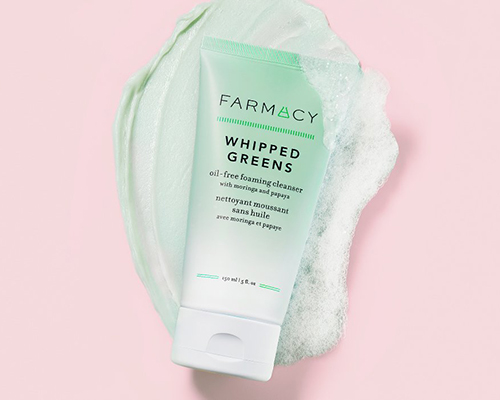
Farmacy 2021 New Overseas Shopping Guide

Farmacy is a niche skincare brand born in the United States, founded in 2004. The brand focuses on combining technology-driven skincare with natural ingredients, using science to enhance the power of natural components to nourish the skin, leaving it healthy and radiant. Star products include the Honey Antioxidant Hydrating Mask and the Green Clean Makeup Meltaway Cleansing Balm. Although Farmacy has an official Tmall Global store in China, most users still prefer to purchase Farmacy products through overseas shopping, as it is widely believed that the Farmacy US official website offers authentic products at reasonable prices. Below is a guide to overseas shopping on the Farmacy US official website. Feel free to read on. Farmacy US Official Website: www.farmacybeauty.com 1. Account Registration First, click the link above to enter the Farmacy US official website homepage, then click "Farmacy Rewards" at the bottom left of the page; After clicking, the following page appears. Then click "Sign up" to enter the registration page; On the registration page, fill in your last name, first name, email, and password. Don't forget to check "SUBSCRIBE TO OUR NEWSLETTER" to enjoy 15% off your first order. After filling in the details, click "Sign Up" to complete your Farmacy US official website account registration. 2. Overseas Shopping Find the product you want to purchase and add it to your cart; 3. Checkout After adding the product to your cart, click "Check out" at the bottom right to proceed to the checkout page; 4. Enter Address Fill in the shipping address, which is the specific warehouse address of your freight forwarder, as shown in the image below; After filling in, click "Continue to shipping"; 5. Choose Shipping Method As shown below, there are two shipping options. Generally, choose the free shipping option and click "Free Standard Shipping"; Then click "Continue to payment" to proceed to the checkout page; 6. Choose Payment Method On the payment page, you can choose different payment methods, including credit card, PayPal, Amazon Pay, Afterpay, etc. Here, we use credit card payment as an example. Fill in the information as shown below; 7. Use Promo Code On the right side of the checkout page, you can see the purchased items, the order total, and a promo code input box, as shown below; 8. Payment Click "Complete order" to finalize the payment; 9. Wait for the website to ship your order. Once the Farmacy US official website ships your order, obtain the tracking number, and pre-register the package on your freight forwarder's website. After the freight forwarder receives and processes the package, they will notify you to pay the shipping fee. Once the shipping fee is topped up, you can wait for the package to arrive. The above is the complete process for registering an account on the Farmacy US official website and placing an overseas shopping order. If your English is not very good, you can use the browser's translation feature for easier browsing and ordering. Feel free to leave comments if you have any questions about overseas shopping on the Farmacy official website!

Puma 德国彪马2021最新海淘攻略

Puma Germany 2021 Latest Overseas Shopping Guide

Founded in 1948 in Herzogenaurach, Germany, Puma is a world-leading dynamic lifestyle brand that designs and develops footwear, apparel, and accessories. Originally established in the sporting goods industry, the brand has since moved into the fashion world, and in recent years has successfully combined sports, leisure, and fashion into one, becoming one of the most popular brands among young people. Below is a guide on how to shop on the Puma US official website. Puma US official website: us.puma.com 1. First, you need to register an account. Click to expand the menu in the top right corner. At the bottom of the menu, click Login. New users should click Register Here to create an account. You will be taken to the login/registration page. Existing users can log in with their email and password. New users should click Create Account to register. Returning users can also check the status of existing orders by clicking check status below. To register a new account, enter your first name, last name, email, and password. Click Create Account to register. Note: The password must be at least 8 characters long. 2. Registration complete. Start shopping. Browse by category, use the search function, or navigate via the homepage to select your desired products. Choose the color, size, and quantity, then add them to your cart. After adding an item to your cart, a pop-up will appear confirming the item has been added. You can choose to proceed to checkout, view your cart, or continue shopping. We will choose to view the cart. 3. Enter the shopping cart and verify the product information. If everything is correct, click checkout to proceed. If you have a discount code, you can enter it here to receive the corresponding discount. 4. Start the checkout process. Enter your shipping address. Since the Puma official website currently does not support direct shipping to China, you will need to enter a US forwarding address here. The billing address can be the same as the shipping address. Then, select a shipping method based on the shipping address. 5. Select a payment method. If you have a gift card, you can choose to use it. A maximum of 3 gift cards can be used per order. If you don't have one, pay with a credit card. Enter the cardholder's name, card number, expiration date, and other information, then click Continue. 6. The final step is to review and submit your order. Double-check all entered addresses, payment details, and order information. Once everything is confirmed correct, click Place Order to submit your order and complete the purchase. All that's left is to wait for the forwarding company to receive the package, prepare the shipping details, and then sit back and wait for your delivery!

Crabtree & Evelyn 瑰柏翠最新打折下单攻略

Crabtree & Evelyn Latest Discount Shopping Guide

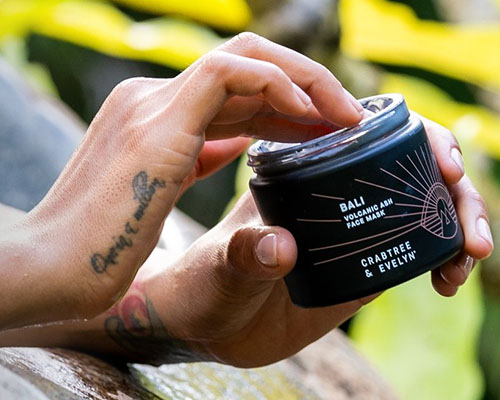
Crabtree & Evelyn has always been regarded as a brand that symbolizes the elegant aristocratic spirit of Britain. Due to its high-quality ingredients and unique fragrances, the Crabtree & Evelyn brand is loved by many users, including celebrities such as the First Lady and Madonna. The Crabtree & Evelyn official website offers many great products worth buying, and Crabtree & Evelyn hand cream is definitely a high-quality affordable item. With more fragrance options to choose from and better value for money, Crabtree & Evelyn does not add artificial fragrances or chemical ingredients. The texture is fine and easy to absorb. The hand creams on the Crabtree & Evelyn official website are truly a top choice for stylish women. Now, let me share a guide and tutorial for the Crabtree & Evelyn US official website, explaining how to place an order on Crabtree & Evelyn. Friends who want to order from Crabtree & Evelyn but don't know where to start can bookmark this for reference. Below is a brief introduction to the Crabtree & Evelyn US official website overseas shopping guide tutorial. 1. Open the website; Crabtree & Evelyn US official website overseas shopping URL: https://www.crabtree-evelyn.com/, click the link to go directly to access it; 2. Register an account; Click "Register Account" in the upper right corner; Unregistered users select "Create account" belowREGISTER to click and register an account; Enter the registration page; Already registered users can select Sign In to log in; 3. Select products Add the products you want to purchase to the shopping cart, then click "MY BAG" in the upper right corner to view the cart and go to the shopping cart page; 4. Click "MY BAG" in the upper right corner to enter the shopping cart page; 5. Click GO TO CHECKOUT to enter the shipping address interface. Just copy and paste the forwarding company address! 6. Next, proceed to select the shipping method; 7. Then, proceed to the payment and billing address page. Confirm all information is correct, click COMPLETE ORDER to submit the order and complete the purchase. 8. All that's left is to wait for the forwarding company to receive the goods, prepare the shipping details, and then just wait to receive your package!

Bobbi Brown芭比布朗英国官网2021最新海淘攻略

Bobbi Brown UK Official Website 2021 Shopping Guide

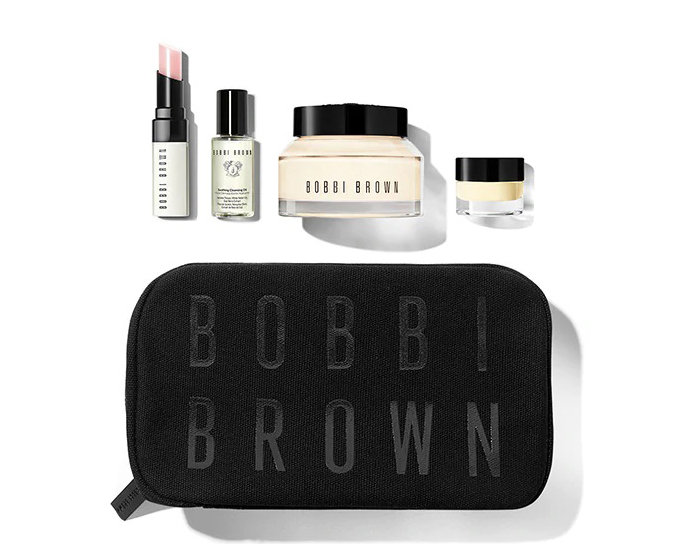
Bobbi Brown, a world-class professional makeup brand and part of the Estée Lauder Group, was founded in New York in 1991 by internationally renowned makeup artist Bobbi Brown. Known as the "Queen of Nude Makeup" in Hollywood, Bobbi Brown is globally celebrated for its clean, fresh, and modern nude makeup philosophy, beloved by Hollywood stars. The product range includes color cosmetics, base makeup, brushes, and skincare. This guide mainly introduces the Bobbi Brown UK official website tutorial, showing you how to place an order on Bobbi Brown. If you want to order from Bobbi Brown but don't know where to start, feel free to bookmark this. Below is a brief introduction to the Bobbi Brown UK official website overseas shopping guide. 1. Open the website; Bobbi Brown UK official website overseas shopping URL: https://www.bobbibrown.co.uk/, click the link to visit directly; 2. Register an account; Click "Register" in the top right corner; Unregistered users selectREGISTER to create an account; Enter the registration page; Already registered? SelectLOG IN to sign in; 3. Select products Add the products you want to purchase to your cart, then click the shopping bag icon in the top right corner to view your cart and go to the cart page; 4. Click the shopping bag icon in the top right corner to enter the cart page; 5. ClickCHECKOUT to enter the sample selection page; 6. ClickCONTINUE CHECKOUT to enter the shipping address page. Simply copy and paste your freight forwarder's address! 7. Next, enter the payment page and billing address. Confirm all information is correct, then click Place Secure Order to submit your order and complete the purchase. 8. All that's left is to wait for the freight forwarder to receive the package, fill in the shipping details, and sit tight for delivery!

ASOS 2021最新海淘攻略

ASOS 2021 Overseas Shopping Guide

ASOS is a well-known online retailer in the US for clothing, shoes, beauty, and skincare products. It has official websites for the US, the UK, and the Asia-Pacific region, making it a popular site for international shopping. I often buy shoes and clothes from ASOS, and the prices are much more affordable compared to domestic brand stores. When you catch an ASOS promotion, the prices become even better. This article mainly introduces a guide for international shopping on ASOS, showing you how to register and place an order. Feel free to click and check it out. 1. Open the ASOS website: http://www.asos.com. Click as shown in the image below; you can switch between different countries and regions in the top right corner of the website. 2. Click on "My Account" in the top right corner. Returning users can click "Sign In" to log in, while new users without an account should click "Join" to register. As shown in the image below, click "Join" to complete the account registration. 3. You can now browse and select your favorite products on ASOS. Enter the product you want in the search bar. 4. After choosing your preferred style and size, click "Add to Bag." 5. Click on the shopping bag icon in the top right corner. The following page will appear. Then, proceed to checkout. 6. Since this is your first time registering and logging into ASOS, you need to add a shipping address before checking out. Fill in the details step by step with your real information, as shown in the image below. 7. Add a valid credit card. ASOS supports dual-currency credit cards. Then, fill in the information as shown below. 8. Click "Use This Card" to complete the order. Finally, you just wait for the package to arrive. ASOS offers free standard international shipping. The delivery time is usually around 7-14 days, but the website does not provide tracking information, and there is a certain risk of lost packages. It is recommended to add your phone number after the recipient's name when filling in the shipping details. The above are all the steps for registering a new account and placing an order on ASOS for international shopping. If you encounter any other issues during the ordering process, you can contact the website's customer service for help. You can also add our editor's WeChat: bacao101, to discuss and share tips about international shopping.

Shopbop 烧包网2021最新海淘攻略

Shopbop 2021 Latest Overseas Shopping Guide

SHOPBOP is a fashion women's clothing shopping website under Amazon, offering apparel, footwear, bags, accessories, and more from multiple well-known brands. It primarily features affordable luxury designer brands such as Alexander Wang, Tory Burch, and Marc by Marc Jacobs. The site doesn't have frequent promotions, but discounted items are always in-season, making it highly popular among overseas shoppers in China. Official website: https://cn.shopbop.com/ Below is a guide to the ordering process on the Shopbop mobile site: 1. First, log in to the Shopbop official website to register. Click to expand the menu in the top left corner, then click Sign in to log in or register: 2. Existing users can log in using their email and password, or use their Amazon account to log in. New users can directly click "Create New Account" below: Fill in your name, email, and password as required by the site to complete registration. Note: All information must be entered in English, and names should be in pinyin (the site currently cannot recognize Chinese characters). 3. Once registered, it's time to shop! Select your desired products, choose size, color, and quantity, then add them to your cart: Here, we'd like to remind you: Shopbop has a sales and promotions section featuring discounted items. Sometimes new arrivals are also on sale, offering great value. The sales section is categorized for easy browsing. After adding items to your cart, a pop-up will appear with options to continue shopping or proceed to checkout. Select checkout to go to your cart: 4. Items in the cart can still be edited. If you have a discount code, you can enter it in the blank space below to receive the corresponding discount, then proceed to checkout: 5. The first step in checkout is to fill in your shipping address. Enter your domestic address in pinyin as required by the site. Note: Postal sorting centers in each city have staff responsible for translating foreign addresses into Chinese and writing them on the mail. It's best to include your phone number on the second line of the shipping address, for example: "TEL:13611111112". Make sure the postal code is correct, as several postal stages from abroad to China rely on the postal code for regional delivery. 6. After entering the shipping address, choose a shipping method. Currently, SHOPBOP offers free international direct shipping for orders over $100. For orders under $100, a $10 international shipping fee applies. There are three options: The first option requires prepaying customs duties, meaning you pay the duty at checkout. If the actual duty differs from the prepaid amount upon delivery, Shopbop will refund the difference or charge the extra. The second option does not require prepaying duties, but if your package is selected by customs for inspection, you'll need to handle the tax payment yourself, which is cumbersome. Both options include package tracking, but avoiding duties is generally difficult. We recommend the third option (EMS). It takes 7-20 business days, usually about two weeks. The advantage is no prepaid duties and a very low chance of being taxed. However, be careful not to order too many items at once; one or two items are best to keep the value and size small, reducing the likelihood of being taxed. Package tracking is available, and Shopbop has excellent after-sales service. If a package is lost, Shopbop will resend it, or refund you if the item is out of stock. 7. The next step is payment options. The official site currently supports Alipay quick payment. If you have gift vouchers or discount codes, you can use them here: If using a credit card, select the credit card option and fill in the cardholder's name, card number, and other details as required. Most dual-currency credit cards are accepted. Note that the cardholder's name and billing address must also be entered in pinyin. Then click continue: 8. After entering all shipping and payment information, you will reach the final confirmation page. Verify that all details are correct, then place your order: Note: After placing the order, you will be asked to provide your ID number for customs clearance. Simply fill it in as requested: Other important notes: (1) Once an order is placed on SHOPBOP, no changes can be made online, including cancellations. If you need to cancel or void an order for any reason, call official customer service within 2 minutes of placing the order. Chinese customer service: 400-890-4666 (2) If there is an issue with the received item, do not wear, alter, or wash it. Keep the original packaging and tags, take photos of the item, send them to customer service to request a return and refund, and return the item within 30 days of placing the order. (3) Chinese customer service email: This email address is being protected from spambots. You need JavaScript enabled to view it.

Coggles 2021最新海淘攻略

Coggles 2021 Latest Overseas Shopping Guide

Coggles is a world-renowned designer fashion retail website based in the UK, established in 1974. It offers mid-to-high-end luxury goods and features over 200 well-known designer brands in fashion, home, beauty, and skincare. Brands include Canada Goose, Tod's, Kenzo, Ganni, Veja, Y-3, and A.P.C. At Coggles, you can not only purchase the latest trendy clothing but also world-famous shoes, bags, and more. To shop at Coggles, you need a detailed and comprehensive understanding of the shopping process. Here is a detailed introduction to the Coggles shopping process: Coggles Official Website Entry: www.coggles.com 1. First, you need to register an account. Click to expand the menu at the top left of the homepage: In the expanded menu, click "My Account" at the top left to log in or register: Registered users can log in by simply entering their email and password. New users should click "CONTINUE" to create an account. As shown, fill in your name, email, and password (at least 6 characters, including 1 number), then click Continue to submit the information and complete registration. Once registered, you can see your personal account. The homepage indicates you can enjoy a 10% discount on your first order: 2. After successful registration, you can start shopping! You can browse products by category, using the homepage navigation, or the search bar. With the weather getting colder recently, you might consider buying a down jacket. Canada Goose is a great choice. After selecting the quantity, size, and color, click "Add to Basket" to add it to your cart. 3. Go to your shopping cart and verify the product quantity, price, and other details. Enter a discount code, click ADD to apply the offer, then click Checkout securely now to proceed to checkout: 4. As shown, fill in your shipping address. We chose direct shipping to China, entering the name, postal code, street, and other information. Click Continue to proceed: 5. The default shipping method is selected. Click Continue to move to the payment stage. 6. The UK Coggles clothing, shoes, and hats official website supports VISA/Mastercard credit cards, PayPal online payment, Alipay, and UnionPay. Select Alipay, click Submit Order at the bottom of the page, then you will be redirected to the Alipay page to scan the QR code and complete payment. 7. If you choose to use a credit card, fill in the credit card number, cardholder name, expiration date, and security code. Verify the billing address is correct, then click Submit Order at the bottom to complete the purchase. Finally, after successfully placing the order and making the payment, Coggles will send an Order Confirmation email to your registered email address. Subsequent Dispatch notifications for your items will also be sent to your email, along with an estimated delivery date. Alternatively, you can log in to your Coggles account to check the shipping status. This completes all the steps for placing an order at Coggles! Now just sit back and wait for your delivery!

Wet n Wild 湿又野2021最新海淘攻略

Wet n Wild 2021 Latest Overseas Shopping Guide

Wet n Wild is an open-shelf cosmetics brand from Los Angeles, USA. It was once recommended as "the most fashionable cosmetics brand in the United States" by the cosmetics program of Los Angeles' 7th TV station. The brand is highly praised in the beauty industry for its affordable prices and excellent quality, earning recommendations from many beauty influencers. Many domestic friends also choose to shop on the Wet n Wild US official website. This article introduces the Wet n Wild US official website overseas shopping guide, telling you how to place orders and shop on the Wet n Wild US official website. If you also want to place an order on the Wet n Wild US official website but don't know how to proceed, feel free to click and check out this Wet n Wild US official website overseas shopping guide. 1. Open the website; Wet n Wild US official website overseas shopping URL: https://www.wetnwildbeauty.com/, needs to be accessed under an overseas network environment; 2. Register an account; Friends who have already registered can simply select Sign In to log in; Unregistered users selectREGISTER to click and register an account; 3. Select products; Add the products you want to purchase to the shopping cart, then click on the Cart icon in the top right corner to view the shopping cart and go to the shopping cart page; 4. Click on Cart in the top right corner to view the shopping cart and enter the shopping cart page; 5. Click PROCEED TO CHECKOUT to enter the page for selecting shipping methods and filling in the shipping address; 6. Then proceed to the page for verifying the address, filling in the billing address, and payment. Review the order. If everything is correct, click Place Your Order to submit the order. The shopping process ends here. 7. All that's left is to wait for the forwarding company to receive the goods, prepare the forwarding details, and sit tight waiting for the delivery!

Skinstore 2021最新海淘攻略

Skinstore 2021 Latest Overseas Shopping Guide

America's renowned SkinStore sells over 250 brands and more than 7,500 well-known products, making it the world's largest online retailer of skincare and cosmetics. SkinStore allows you to choose three free samples with every order. If you want more samples, you can place multiple separate orders. Occasionally, certain brands offer additional gifts, which are automatically added to your shopping cart when you meet the qualifying conditions. SkinStore official website entrance: www.skinstore.com Below, we'll introduce the mobile ordering process on the SkinStore official website: 1. Click to expand the menu at the top right of the homepage and select Login: For customers who already have an account, simply log in using your email and password. New users should select Create New Account: 2. Fill in the required personal information according to the website's requirements. If you have an invitation code, you can enter it in the space below to receive a corresponding discount: 3. After registration, browse for the products you want to purchase and click ADD TO BAG to add them to your shopping cart. You can add items directly from the product list page or by clicking into the product page: Enter the shopping cart to modify or edit your items. If you have a discount code, you can enter it in the space below to receive the corresponding discount. SkinStore almost always has a 20% off sitewide promotion. Just keep an eye on the SkinStore homepage; occasionally, there are also promo codes for $20 off $100 or $50 off $200. As shown in the image below, the header section has a 20% off code. After entering it, you'll see the price already reflects the 20% discount: 4. Click Checkout and first enter your shipping address. The SkinStore official website supports direct shipping to China and Alipay payment. Shipping methods include UCS, Alipay Direct Overseas Purchase, USPS, and FedEx. They have even set up a Chinese customer service team in Hangzhou. If you choose to use a freight forwarder, domestic US shipping is $5.95, and free shipping is available on orders over $49. When purchasing, please note that currently, the following brands cannot be shipped directly to China: H2O+, Jurlique, L'Occitane, NUXE, Perricone MD, Vichy, Avene. Fill in the shipping address for China as follows: Fill in the shipping address for a US freight forwarder as follows: For shipping to a US freight forwarder address, select the shipping method and then proceed to checkout: 5. Regarding payment methods, as mentioned, SkinStore accepts Alipay, as well as credit cards or PayPal. If you choose Alipay, confirm the details are correct and submit the order. The shopping process ends here. If paying by credit card, fill in the required credit card information and submit the order. Regarding the billing address, new users using a freight forwarder address are prone to order cancellations, so please fill in your real domestic billing address. Here are some tips based on experience: 1. Some users have reported that the packaging is not very good, and items may arrive damaged in China. You can contact customer service to request compensation. 2. Some items cannot be shipped outside the US. You will see a prompt during purchase, so pay attention when buying. 3. They have an automatic shipment program. You set a shipping cycle, and they will automatically deliver your items. You get a 10% discount on the first shipment and a 20% discount on subsequent orders. Only some products support this feature. 4. How to choose direct shipping and avoid customs issues? It's recommended not to place orders with too high a value. If you really need many items, place several separate orders. Try to have SkinStore ship via USPS. Generally, if the order value exceeds $300, it defaults to FedEx, and as you may know, FedEx shipments are almost always flagged by customs. So, to save money, it's best to proactively contact customer service after placing the order but before shipment, requesting them to ship via USPS. There are two main ways to contact customer service: first, by email, which is less reliable and can be delayed for other reasons; second, and best, is to contact them online via live chat. If your English isn't great, you can use an online translator and simply request: "Would you please arrange the order XXXX send out by USPS?" If the客服 refuses, insist again, and they will usually agree. However, requesting a change after shipment is unlikely. For everyone's convenience, remember to request USPS shipping before the order is shipped. 5. If you receive an email asking you to change your address after placing an order, you can reply to This email address is being protected from spambots. You need JavaScript enabled to view it. with: Hello, I don’t have another address, please ship orders to the address which listed on my order, or please help me to cancell it. Thanks! Some users have reported that SkinStore shipped the order directly after this reply. If that doesn't work, try contacting online customer service or calling them directly. Sometimes, communication can solve any problem. 6. If an item is out of stock, you may sometimes receive an email like the one below, informing you that a product is out of stock. The email will give you 3 options: Option 1: Cancel the out-of-stock item from your order and ship the other products. Option 2: Hold your entire order and ship everything together once the out-of-stock item is restocked. Option 3: Cancel your entire order and issue a refund. Special note: If you do not choose an option and the missing item is not replenished, the website will default to canceling the entire order.

流行天后碧昂丝Beyoncé再次携手adidas打造合作系列

Pop diva Beyoncé teams up with adidas again for a new collection

Last November, adidas and Beyoncé launched the second IVY PARK collaboration, with Beyoncé showcasing her fashion insights. Recently, the two have once again joined forces to create the Ivy Park 3.0 collection. This collection includes a total of 5 shoe styles, with an overall color scheme featuring an extremely minimalist palette that creates a cool visual impression. Matching apparel is also expected to be released. It is reported that the Ivy Park x adidas "Icy Park" will officially launch on February 18th! Interested fans, be sure to keep an eye out. Release Date: February 18th

兰蔻推出情人节限量版香水Idole

Lanc?me Launches Valentine's Day Limited Edition Idole Perfume

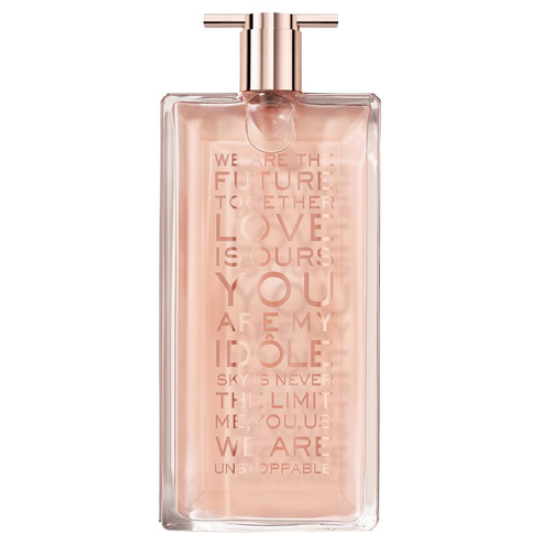
Lanc?me launches the 2021 Valentine's Day limited edition fragrance Id?le, with the bottle adorned in a golden love spell: Live for Love. Use this iconic perfume to tell women to become their own Id?le, never compromise on dreams, dare to go beyond limits, and speak up boldly. Key features of this new Lanc?me Id?le Valentine's Day Limited Edition 2021 fragrance: Fragrance Type: Floral, Chypre Gender: Women Perfumers: Shyamala Maisondieu, Adriana Medina-Baez, Nadege le Garlantezec Top Notes: Bergamot, Mandarin, Pear Heart Notes: Jasmine, Rose, May Rose Base Notes: Musk, Vanilla Concentration: Eau de Parfum Limited Edition: Yes Volume: 100ml Launch Year: 2021 Currently, this fragrance is officially available at Sephora and the Lanc?me official website. Don't miss out if you're interested!

2021新手海淘之买鞋尺码攻略

2021 Beginner's Guide to Buying Shoes Online: Sizing Tips

Shoe and clothing sizes for overseas purchases are a common headache for many. Many beginners, unfamiliar with sizing, often intend to buy adult shoes but end up purchasing children's shoes instead—a real lesson learned right next to us. Let's continue our explanation about size selection, focusing on how to choose the right size when buying shoes. I have to say the simplest method is to try on your favorite brand at a physical store, find the right size, and then order it online. This method works for some brands where the size difference between domestic and international versions isn't significant. However, many brands either don't have try-on options domestically or the fit differs from the online version. Here's a general approach: 1. First, measure your foot length: Foot length measurement method (illustrated) Precautions for measuring foot length 1. Measuring posture: Please stand with your weight evenly distributed on both feet while measuring. 2. Athletic shoe measurement: If you need to buy athletic shoes, it's recommended to wear socks suitable for the corresponding sport before measuring your foot length. 3. Measurement note: Human feet are only roughly symmetrical, so please use the data from the larger foot as the standard. 4. Measurement time: It's recommended to measure your foot length in the afternoon, as your feet will be larger at that time. 2. Then, refer to the size chart provided by the shopping website to find your corresponding size. Generally, size charts on US websites include information like US, EU, UK, CM. At this point, we usually refer to length and width, as these standards are internationally recognized. Additionally, let me explain these size standards: I. Length Chinese sizes are consistent with European sizes. The calculation formula is: foot length value (mm) / 5 - 10. For example, 225/5-10 = size 35. US and UK sizes increase by 0.5 per increment. For the same size, UK sizes are 1-2 sizes smaller than US sizes. There is no perfect formula for US sizes, but roughly it can be calculated as 0.75 * EU size - 23. II. Width Foreigners mark shoe sizes more complexly than domestic ones. Besides length, there is also width. Below, I've compiled a summary table of overseas shoe sizes. When buying shoes on Amazon US, you often see letters like D(M), B(M), D, C/D, 2E. What do these mean? Shoe widths are divided into nine types based on gender: men's shoes have 4 width options, and women's shoes have 5 width options. Details are as follows: 1. X-Narrow: Women's S or AA 2. Narrow: Women's N or A, Men's N or C or B 3. Medium: Women's M or B, Men's M or D (usually this width is sufficient) 4. Wide: Women's W or D or C/D, Men's W or EE (2E) 5. X-Wide: Women's XW or E or EE (2E), Men's XW or EEE (3E) or EEEE (4E) For example: B(M) refers to women's medium width shoes, C/D refers to slightly wider. D(M) refers to men's medium width shoes, 2E refers to slightly wider. That is, E is 0.47625 cm wider than D, 2E is 0.47625 cm wider than E... When buying, consider that Chinese feet are generally wider than European or American feet. Overseas shoppers with wider or higher insteps may consider choosing wide or even extra-wide options. A lazy method is to directly look at the European size (Euro), which is generally similar to our domestic sizes. You can directly choose your usual size, but there is some risk as subtle differences exist between brands. Some brands have physical stores domestically. You can try on a few similar or identical styles, remember the size, to help with online selection. 3. Adults can also wear children's sizes American youth are well-developed and tall, so their shoe sizes are also large. Some big kids' shoe sizes overlap with adult sizes, making them perfectly suitable for smaller-built Easterners. The method for selecting shoe sizes is the same as introduced earlier. Since European sizes are not as confusingly divided as American ones (no big kids), you can still lazily choose the European size (Euro) directly. This way, ladies can confidently pick shoes to wear!